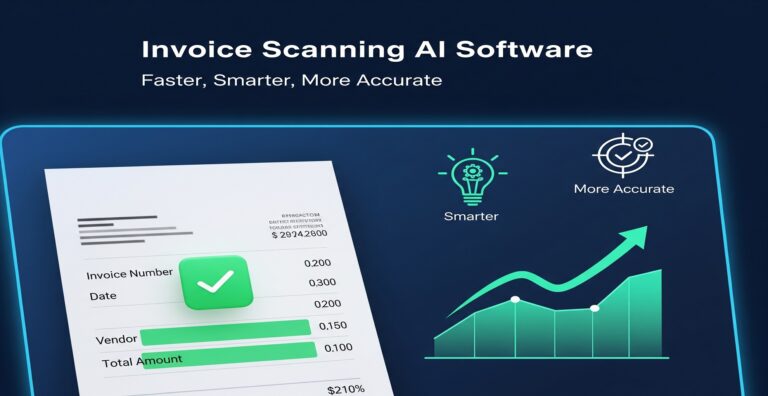
Automated Invoice Processing Tool: Transform Your Data Entry
Are you still drowning in manual data entry? For utility billing teams, every keystroke can lead to errors, delays, and higher costs. With an automated invoice processing tool, you can overcome these challenges effectively. Imagine a team of three spending 15 hours a week manually entering data from invoices and cross-referencing accounts. Such a burden often results in frustration and burnout. Fortunately, transforming your workflows with automation can significantly lighten this load.
What is the automated invoice processing tool?
An automated invoice processing tool uses AI-powered data extraction to streamline the data entry and management processes in organizations. This technology takes the tedious task of inputting data manually and automates it, offering faster, more accurate results. Teams can deploy these tools to minimize human error during data entry, allowing employees to focus on more strategic functions that drive business growth.

Why this problem matters in the industry
Automation of data entry processes is a pressing concern for many businesses. In fact, according to a study published by the McKinsey Global Institute, organizations that implement automation can reduce operational costs by up to 30%. Without such improvements, teams often suffer from unintentional errors, which can lead to significant costs and inefficiencies. This highlights the importance of transitioning to systems that incorporate AI billing extraction for enhanced data accuracy workflows.
Manual vs. automated workflow
Before automation (Manual workflow)
- Entering data from physical invoices, often leading to transcription errors.
- Cross-checking accounts manually, which can be time-consuming and prone to mistakes.
- Discrepancy resolutions require significant labor hours and can delay billing cycles.
- Increased employee burnout from repetitive tasks, impacting workplace morale.
After automation (Improved workflow)
- Processing data in just 2 hours weekly, saving the team 13 hours each week.
- Significantly improved data accuracy, reducing errors by up to 90%.
- Faster closing cycles with minimal delays, allowing for prompt billing and revenue collection.
- Enhanced visibility into operations, enabling better strategic planning and customer service.
How the automated invoice processing tool works in practice
Implementing an automated invoice processing tool involves various steps that transform your workflow:
- Step 1: Identify and select data sources, such as emails and scanned documents.
- Step 2: Integrate the tool with existing systems to allow seamless data flow.
- Step 3: Train the AI model on historical invoices for accurate data extraction.
- Step 4: Set up automated notifications for invoice discrepancies and approvals.
- Step 5: Implement user roles and permissions for secure access to sensitive data.
- Step 6: Regularly monitor the system’s performance and refine the AI for continuous improvement.
- Step 7: Gather feedback from users to optimize user experience.
- Step 8: Analyze the data outputs for insights that can shape future business strategies.
Common mistakes to avoid
- Overlooking data integrity checks before implementation; validate inputs thoroughly.
- Neglecting employee training on the new system; provide thorough onboarding sessions.
- Failing to monitor performance metrics; regularly review outcomes to ensure goals are met.
- Forgetting about integration issues; conduct compatibility tests before rolling out the tool.
- Ignoring user feedback; continually adapt the system based on user experiences.
Best practices
- Start with a pilot program to assess the automated invoice processing tool’s effectiveness.
- Engage all stakeholders in the selection and adaptation process for buy-in.
- Prioritize data security and compliance with relevant regulations.
- Regularly update the AI models to adapt to changing invoice formats and data needs.
- Leverage analytics to measure operational improvements and refine strategies accordingly.
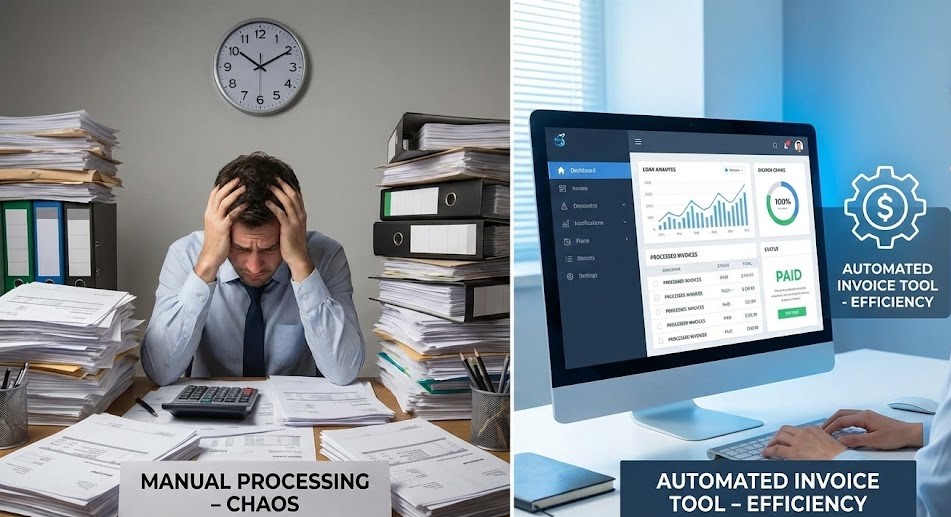
Visualizing the shift from a cluttered office desk packed with paperwork and stressed employees to an organized workspace reveals the transformative impact of automation. The serene environment where one employee can efficiently manage a digital dashboard underscores the value of adopting advanced technology in business operations.
For companies keen on enhancing accuracy and efficiency, exploring automated systems is essential. Consider leveraging AI-driven document extraction technologies that can significantly streamline your data entry processes and allow you to focus more on strategic initiatives.
FAQ about the automated invoice processing tool
Q1: What is an automated invoice processing tool?
A: An automated invoice processing tool utilizes AI and machine learning to streamline the data entry process by extracting information from invoices and managing it efficiently.
Q2: How does this tool improve productivity?
A: This tool significantly reduces the time spent on manual data entry, allowing teams to focus on higher-value tasks and improve overall productivity.
Q3: Can this tool be integrated with existing systems?
A: Yes, most automated invoice processing tools offer integration capabilities with common accounting systems to ensure a seamless workflow.
Q4: What ROI can I expect from using automation?
A: Businesses often see a return on investment through reduced labor costs, fewer errors, and increased efficiency, leading to faster revenue realization.
Disclaimer: All comparisons in this article are based on publicly available information and our own product research as of the date of publication. Features, pricing, and capabilities may change over time.