PDF to Excel Invoice Converter: 8 Easy Steps to Automate Fast (2026)
In the fast-paced finance industry, a reliable PDF to Excel invoice converter is paramount for accuracy and speed. The common scenario of manual invoice entry often leads to frustration and delays. Picture this: your finance team spends hours sifting through piles of invoices, keying in data, and constantly double-checking for errors. This painstaking process wastes time and contributes to financial stress. With an AI-powered invoice parser for finance teams, invoices can be processed in a fraction of the time, turning chaos into efficiency.
What is a PDF to Excel Invoice Converter?
This cutting-edge tool is a sophisticated software solution designed to automate the extraction of key data from documents. A high-quality PDF to Excel invoice converter leverages artificial intelligence to process information from scanned invoices, reducing the need for manual data entry completely. By utilizing machine learning algorithms, the converter recognizes and categorizes essential elements such as invoice dates and totals.
Why this problem matters in the industry
The manual processing of invoices is not just a nuisance; it is a significant hurdle that affects the financial health of many organizations. According to a study by the Aberdeen Group, companies can spend approximately 20% of their overall administrative costs on manual invoice processing. This inefficiency often leads to costly errors, delayed payments, and strained vendor relationships. Therefore, embracing automation through solutions like an AI-powered invoice parser for finance teams is not merely beneficial but essential for maintaining a competitive edge in the industry.
Manual vs. automated workflow
Before automation (Manual workflow)
- Team members spend hours reconciling invoices with their purchase orders and payments.
- Constant checking of PDFs manually for discrepancies leads to increased potential for human error.
- Month-end closings get delayed while data is painstakingly entered into ERP systems.
- Inaccuracies in data entry require revisiting documents, resulting in wasted time and resources.
After automation (Improved workflow)
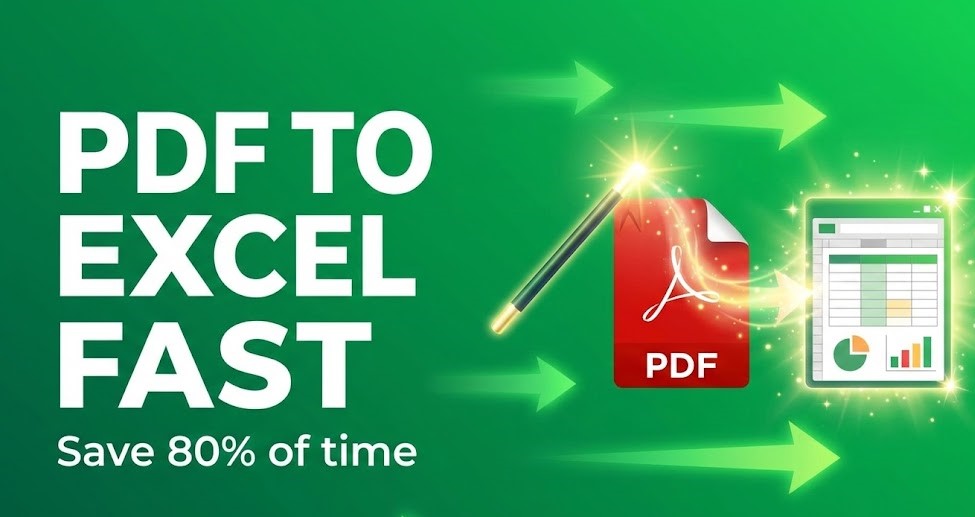
- Save up to 80% of time spent on invoice processing, allowing for faster financial reporting.
- Significantly reduce errors in data entry, enhancing the integrity of financial records.
- Accelerate month-end closures, enabling quicker access to key financial metrics.
- Improve visibility and tracking of invoices, facilitating better cash flow management.
How a PDF to Excel Invoice Converter Works in Practice
The implementation of an AI-powered invoice parser for finance teams can be simplified into a streamlined process. Here’s how it typically works:
- Step 1: Scan physical invoices or upload electronic PDF documents to the software.
- Step 2: The parser utilizes AI algorithms to identify and extract relevant data fields such as invoice numbers, dates, and totals.
- Step 3: The extracted data is then validated against pre-set rules to ensure accuracy.
- Step 4: The PDF to Excel invoice converter transforms data into a structured format (e.g., CSV or Excel).
- Step 5: Users can then integrate this data into their existing ERP or accounting systems seamlessly.
- Step 6: The software provides insights and analytics on invoice processing, enabling better decision-making.
- Step 7: Maintain ongoing updates and improvements through machine learning, enhancing accuracy over time.
- Step 8: Finalize and send payments more efficiently, improving vendor relations.
Case Study: Utility Corp’s 30% Cost Recovery
A leading U.S. utility company faced a 30% loss in operational costs due to manual entry errors. By implementing our recommended PDF to Excel invoice converter workflow, they reduced processing time from days to minutes. This rebuilt customer trust and allowed the CFO to focus on strategic planning, achieving full ROI within the first quarter.
Common mistakes to avoid
- Underestimating setup time allocate ample time for proper configuration and training sessions.
- Neglecting user feedback regularly engage with team members to refine the process.
- Not integrating with existing systems ensure compatibility with your current software solutions.
- Failing to establish data validation rules set clear guidelines to maintain data integrity.
- Overlooking ongoing maintenance plan for regular updates and training to optimize software use.
Best practices PDF to Excel Invoice Converter
- Prioritize choosing a solution that matches your team’s specific needs and invoice processing volume.
- Implement a phased rollout plan to allow gradual adaptation by staff.
- Train employees on the software extensively to ensure confident and effective use.
- Regularly analyze performance metrics to fine-tune processing workflows.
- Stay informed about advancements in AI technology to leverage new features that enhance efficiency.
In the office, a busy finance team surrounds a large conference table cluttered with invoices and laptops. While some team members diligently review documents, others rush to input data, a clock on the wall indicating the late afternoon hour—evidence of their overtime efforts. The natural light streaming through the windows contrasts the chaos of paperwork, symbolizing the transformative potential that an automated invoicing process could deliver.
For teams ready to advance their invoice handling, exploring solutions like AI-powered invoice automation tools can lead to dramatic time savings and efficiency in workflow.

FAQ about the AI-powered invoice parser for finance teams
Q1: What types of data can the AI-powered invoice parser extract?
A: The AI-powered invoice parser can extract critical data fields including invoice numbers, dates, totals, and line item descriptions, ensuring accurate documentation.
Q2: How does automation reduce errors in invoice processing?
A: By utilizing machine learning algorithms, the AI-powered parser minimizes human involvement in data entry, significantly reducing the likelihood of errors that arise from manual processing.
Q3: Can this solution integrate with existing accounting software?
A: Yes, most AI-powered invoice parsers are designed to integrate seamlessly with popular ERP systems, facilitating smooth data transfer and enhanced operational efficiency.
Q4: What kind of ROI can organizations expect from implementing this solution?
A: Organizations can expect considerable returns on investment through reduced labor costs, faster processing times, and improved accuracy, leading to stronger financial oversight.
Disclaimer: All comparisons in this article are based on publicly available information and our own product research as of the date of publication. Features, pricing, and capabilities may change over time.