Legal Invoice AI Automation: 8 Powerful Steps to Master (2026)
Every month-end close, legal finance teams face a mountain of vendor invoices and disbursements. Traditionally, manual extraction from complex layouts leads to frustrating delays. Implementing Legal Invoice AI Automation can revolutionize this process, converting invoices into structured Excel files without templates. Instead of dedicating 10 hours a week to manual entry, many firms report reclaiming 5 valuable hours for strategic initiatives.

What is Legal Invoice AI Automation?
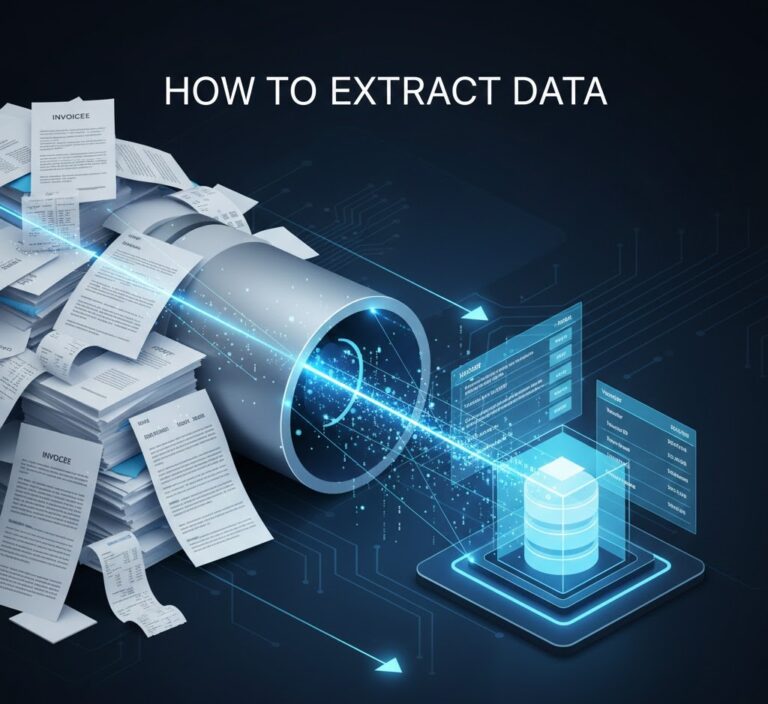
Legal Invoice AI Automation is a specialized tool designed to automate the extraction of key data from court fees, expert witness invoices, and bank statements. This technology leverages advanced OCR to process scanned PDFs, ensuring audit-friendly data entry directly into structured formats.
Why this problem matters in the industry
Invoice processing inefficiencies can severely impact financial operations. Studies indicate that the average organization spends around $16 to $22 per invoice just to process it, highlighting the significant costs associated with manual workflows. As businesses scale, the burden of managing increasing invoice volumes can lead to inconsistencies, errors, and compliance issues, making the need for an automated solution essential. The rise of digital solutions has made it possible to reduce these inefficiencies significantly.
Manual vs. automated workflow
Before automation (Manual workflow)
- Finance teams often drown in a sea of paperwork, causing stress and decreased productivity.
- Time-consuming manual entry increases the risk of errors, leading to payment holds and financial discrepancies.
- Auditing processes become complicated, requiring additional resources and time to verify data accuracy.
- Scanned invoices may be mismanaged, lost, or improperly archived, complicating future retrieval.
After automation (Improved workflow)
- Significant time savings, allowing teams to focus on strategic tasks rather than data entry.
- Minimized error rates, ensuring accurate data capture and reducing discrepancies in financial reporting.
- Faster month-end close processes due to immediate access to structured and organized data.
- Improved audit trails with normalized output and consistent data formats, facilitating compliance.
How Legal Invoice AI Automation Works in Practice
The implementation of Legal Invoice AI Automation typically involves the following systematic steps:
- Step 1: Upload legal documents and invoices, regardless of their format (PDF or image).
- Step 2: The parser uses OCR to identify relevant data across multi-page legal documents.
- Step 3: Capture invoice numbers, dates, vendor info, and complex tax details.
- Step 4: The Legal Invoice AI Automation system cleans and normalizes data into a consistent format.
- Step 5: Convert structured data instantly into Excel for integration with legal billing software.
- Step 6: Review data in a digital format to reduce the clutter of physical paperwork.
- Step 7: Archive documents for easy retrieval, improving future access and compliance.
- Step 8: Generate audit-friendly reports to enhance oversight and transparency.
Case Study: Justice Partners’ Recovery
Justice Partners, a premier law firm, was spending up to $22 to manually process every expert witness invoice. This inefficient workflow led to billing delays and increased operational costs.
By implementing our Legal Invoice AI Automation algorithm, they reduced data processing time by 50%, reclaiming 5 valuable hours per week for every finance team member. This allowed the firm to accelerate client disbursements and completely eliminate calculation errors, achieving a full return on investment (ROI) within just a few months.
Common mistakes to avoid
- Neglecting to standardize document formats prior to upload, which can lead to data extraction errors.
- Failing to train staff on using the new system effectively, limiting its potential benefits.
- Overlooking backup processes for captured data, risking loss in case of technical issues.
- Ignoring system integrations that can enhance ERP connectivity, limiting overall efficiency.
- Not regularly evaluating the software’s performance and accuracy, failing to adapt to changing business needs.
Best practices
- Consistently review and train team members on the AI tool’s functionalities to maximize use.
- Implement a robust backup and data security strategy to protect sensitive information.
- Integrate the automated parser with existing accounting and ERP systems for seamless workflows.
- Regularly assess the software’s output for accuracy to ensure the highest data quality.
- Maintain communications with the software provider for updates and new features to improve functionality.
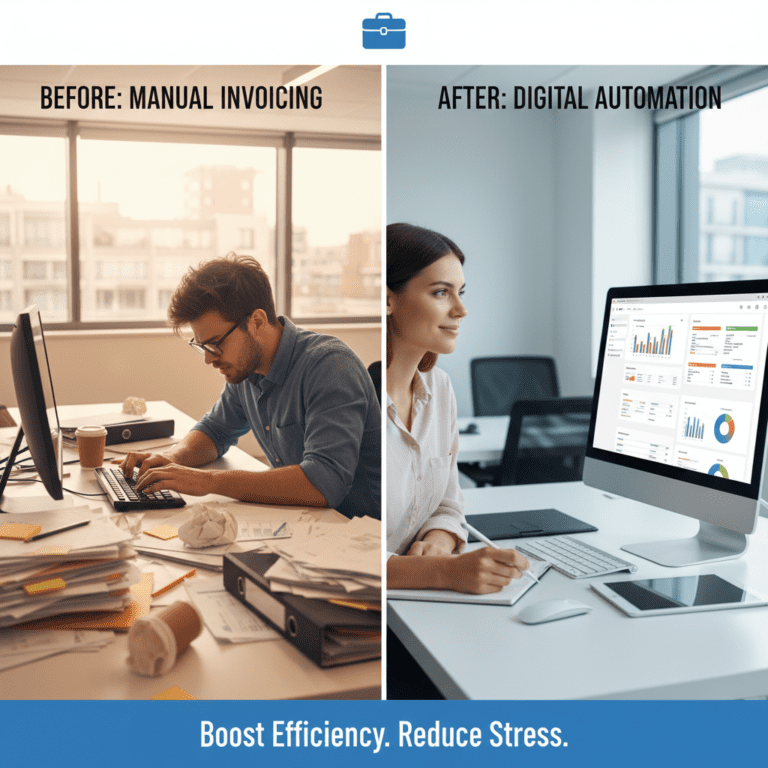
The contrasting environments depicted show the tangible shift from chaos to order in invoice processing. On the left, a finance professional’s desk overflows with physical invoices, contributing to stress and inefficiency. On the right, a modern workspace is organized and equipped with data-driven tools, allowing the professional to focus on analysis rather than manual entry.
For finance teams looking to enhance their invoice processing, exploring Parserdata can unlock the potential to streamline operations with automated solutions, saving time and reducing errors.

FAQ about the Legal Invoice AI Automation
Q1: How does the AI-powered invoice parser for finance teams work?
A: The parser automates the extraction of key data from invoices and receipts, using advanced algorithms and OCR technology to process both simple and complex documents.
Q2: What are the key benefits of using this type of software?
A: Key benefits include significant time savings, reduced errors, improved audit trails, and enhanced operational efficiency.
Q3: Can the AI-powered parser integrate with our existing ERP systems?
A: Yes, most AI-powered solutions, including Parserdata, are designed to integrate seamlessly with various ERP systems, enhancing data flow and workflow efficiency.
Q4: What kind of ROI can we expect from implementing this software?
A: Organizations typically see a rapid ROI through reduced labor costs, fewer data entry errors, and faster processing times, often recovering their investment within months.
Disclaimer: All comparisons in this article are based on publicly available information and our own product research as of the date of publication. Features, pricing, and capabilities may change over time.