What Is Excel Automation? The Ultimate 2026 Explainer Guide
Despite the proliferation of specialized SaaS platforms and complex enterprise resource planning (ERP) systems, Microsoft Excel remains the undisputed operating system of global business. From multi-billion-dollar Wall Street financial models to local retail inventory tracking, the spreadsheet is ubiquitous.
However, the way businesses interact with these spreadsheets is undergoing a massive, critical transformation. We have reached a breaking point where manual copy-pasting is no longer a viable business strategy. This brings us to a fundamental question asked by CFOs, operations managers, and data analysts alike: what is excel automation, and why is it dominating the 2026 technology landscape?
According to Forbes, data workers spend up to 40% of their day simply searching for, cleaning, and formatting data before any actual analysis can occur. Solving this inefficiency is the core purpose of automation.
In this definitive explainer guide, we will deconstruct exactly what is excel automation. We will explore its evolution from fragile, recorded macros to robust, cloud-based API pipelines. Furthermore, we will demonstrate how connecting external AI extraction tools like ParserData directly to your spreadsheets can eliminate human error and save your organization thousands of labor hours.
Table of Contents
- 1. Definition: What is Excel Automation?
- 2. The Hidden Costs of Manual Spreadsheets (Statistics)
- 3. The Evolution of Spreadsheet Technology
- 4. Core Technologies Driving Automation Today
- 5. Real-World Case Studies in Finance
- 6. The Ultimate Challenge: PDF to Excel Integration
- 7. Strategy: Build vs. Buy in 2026
- 8. Security and Compliance in Automated Spreadsheets
- 9. Common Pitfalls: How NOT to Automate
- 10. Future Trends: Generative AI in Cells
1. Definition: What is Excel Automation?
To establish a foundation, we must first answer the core query: what is excel automation in a modern, 2026 context?
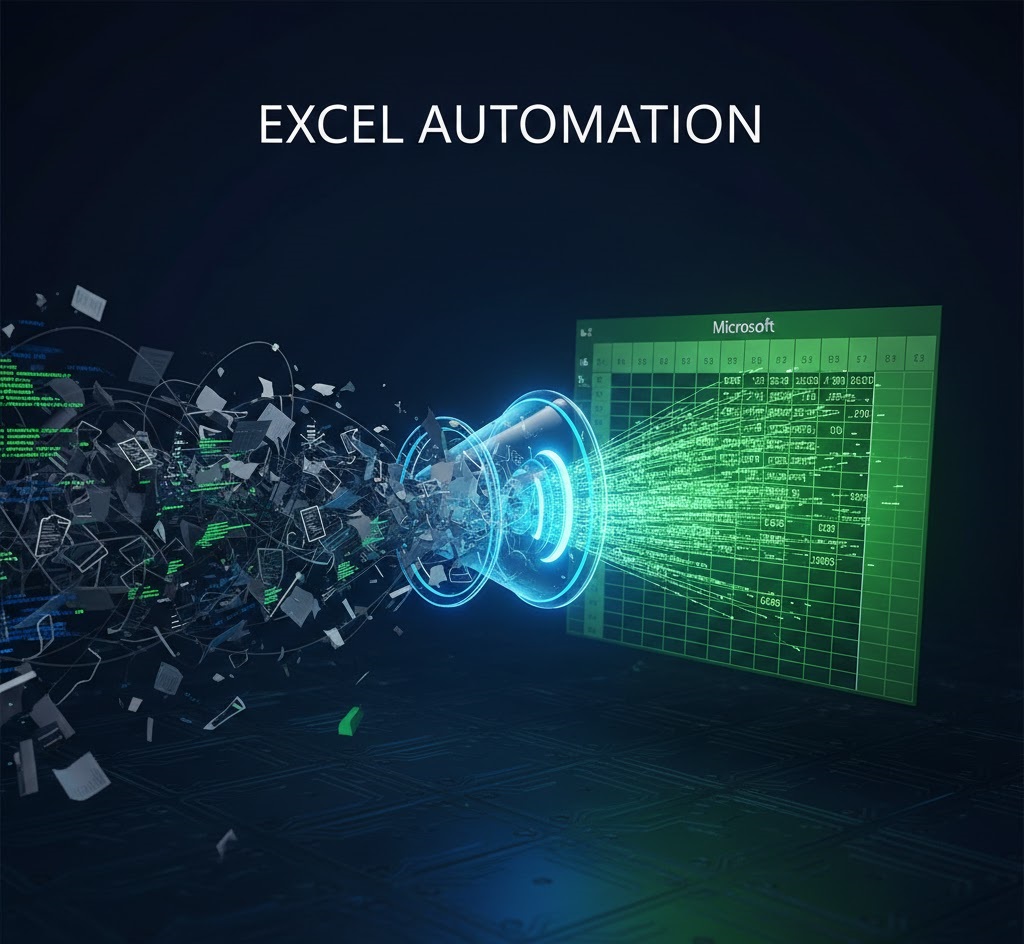
At its simplest, what is excel automation? It is the strategic use of software, scripts, and third-party Application Programming Interfaces (APIs) to execute repetitive spreadsheet tasks without human intervention. It shifts the role of the human worker from a “Data Entry Clerk” to a “Data Validator and Strategist.”
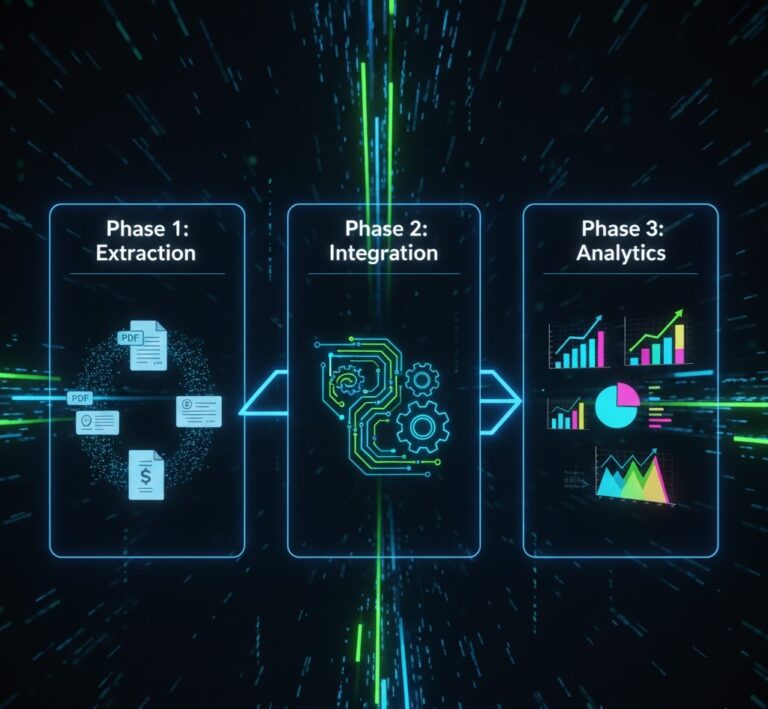
When experts discuss what is excel automation, they are generally referring to the automation of three distinct phases of data management:
- Data Ingestion (Input): Automatically pulling raw data from external sources (like emails, databases, or business documents) into the spreadsheet.
- Data Transformation (Processing): Automatically cleaning, formatting, filtering, and calculating the raw data using predefined logic.
- Data Output (Reporting): Automatically generating charts, pivot tables, or sending the finalized data to another system (like an ERP or triggering an email).
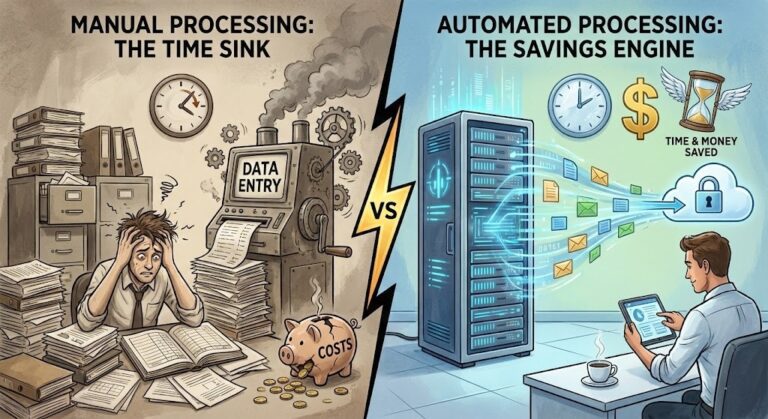
If an employee in your company is manually typing numbers from a PDF invoice into an Excel file, you are not leveraging automation. You are exposing your business to profound risk.
Excel automation starts with getting the data right. Watch how to extract and visualize PDF data in seconds 👇

2. The Hidden Costs of Manual Spreadsheets (Statistics)
To fully grasp the importance of what is excel automation, you must understand the financial and operational devastation caused by doing things manually.
The European Spreadsheet Risks Interest Group (EuSpRIG), a globally recognized body studying spreadsheet errors, reports a chilling statistic: over 90% of all large spreadsheets contain serious errors.
The “Fat Finger” Phenomenon
Human error is inevitable. A misplaced decimal point, a missed zero, or pasting data into the wrong column is colloquially known as a “fat finger” error. In finance, these errors cost millions.
- In 2012, JPMorgan Chase lost over $6 billion in the “London Whale” incident, which was partially attributed to a manual copy-paste error in an Excel risk model.
- TransAlta lost $24 million due to a simple copy-paste error in a spreadsheet that misaligned pricing data.
Understanding what is excel automation means understanding risk mitigation. By removing the human hand from the data ingestion phase perhaps by using AI tools outlined in our automated data extraction guide businesses guarantee that the data in the spreadsheet perfectly matches the source document.
Furthermore, manual entry leads to severe bottlenecks. Read more about why data integrity is crucial in our deep dive on data quality in automation.
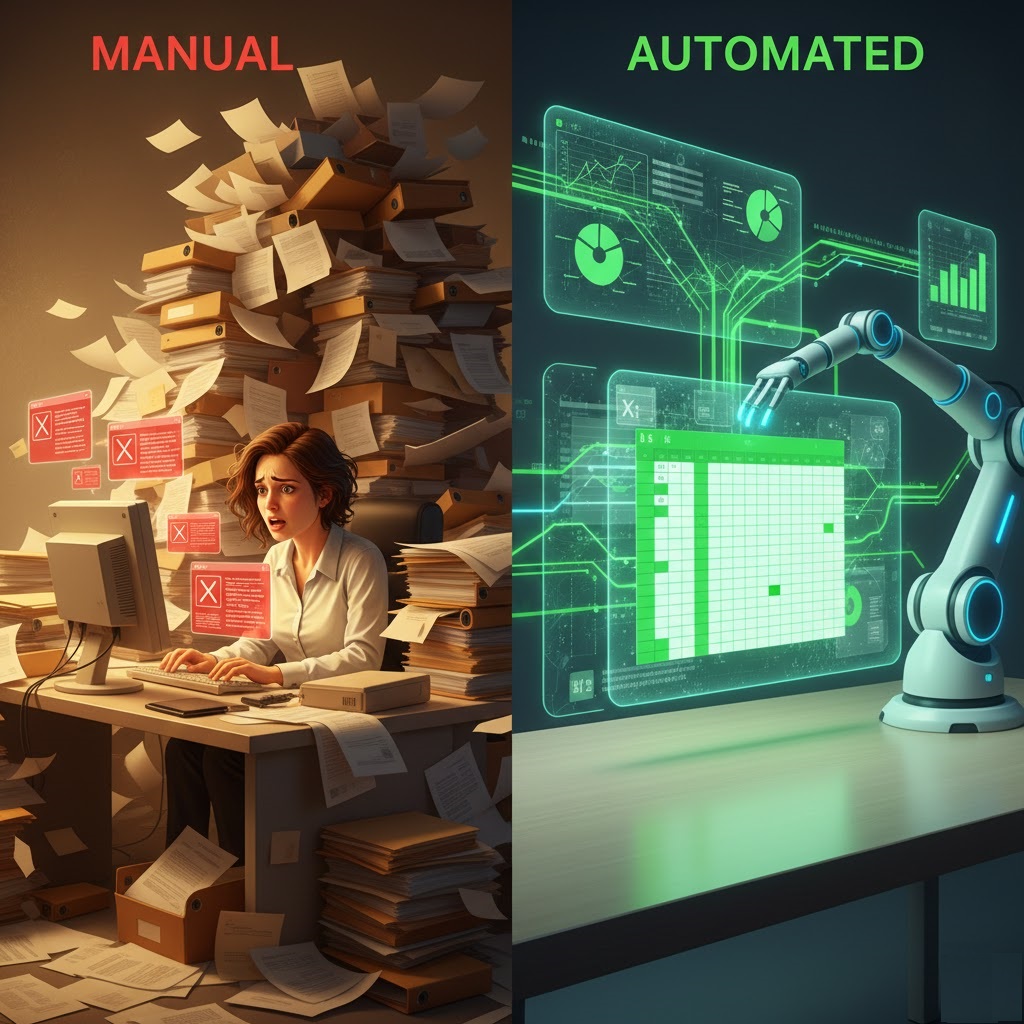
3. The Evolution of Spreadsheet Technology
The answer to what is excel automation has changed drastically over the last two decades. It is no longer just about recording a sequence of mouse clicks.
Generation 1: Manual Calculation (The 1990s)
Spreadsheets were merely digital ledgers. Every cell had to be updated manually. Data analysis was slow, static, and looked backward rather than forward.
Generation 2: VBA and Macros (The 2000s)
Visual Basic for Applications (VBA) revolutionized the industry. Users could write code to automate formatting and calculations. However, VBA is desktop-bound. If your computer crashes, the automation stops. It is notoriously difficult to scale across a cloud-based enterprise.
Generation 3: Power Query (The 2010s)
Microsoft introduced Power Query, allowing users to connect Excel to external databases (SQL, Web URLs) and build automated data cleaning steps (ETL pipelines) without writing complex code. This was a massive leap forward for native automation.
Generation 4: Cloud APIs and AI (2026 and Beyond)
Today, when you ask what is excel automation, the answer lives in the cloud. It involves integrating Excel with intelligent web services via API. Modern automation can read an unstructured email, extract the intent using NLP, pull the attached PDF, extract the financial data, and populate an Excel sheet on OneDrive automatically. (See the role of API in automation for a technical breakdown).
4. Core Technologies Driving Automation Today
If you want to implement this in your company, you need to know the specific tools that define what is excel automation today.
| Technology | Best Used For | Complexity Level |
|---|---|---|
| Power Automate (Flow) | Moving data between apps (e.g., Email to Excel). | Low (No-Code/Low-Code) |
| Office Scripts | Cloud-based alternative to VBA. Runs on Excel for Web. | Medium (TypeScript) |
| Python in Excel | Advanced statistical analysis and machine learning models. | High (Python Code) |
| External APIs (ParserData) | Extracting data from unstructured PDFs and images into Excel. | Low (Plug and Play) |
Table: The modern tech stack defining what is excel automation in 2026.
Notice that the most powerful setups combine these tools. You might use an API to extract data from a document, use Power Automate to push it into Excel, and use Office Scripts to format it into a beautiful dashboard automatically. This interconnected ecosystem is the ultimate answer to what is excel automation.
5. Real-World Case Studies in Finance
Theory is helpful, but to truly comprehend what is excel automation, we must examine its impact on the ground. Financial departments are the heaviest users of spreadsheets, making them the primary beneficiaries of these modern workflows.
Case Study A: The Accounts Payable (AP) Department
A mid-sized logistics company was processing 4,000 vendor invoices manually each month. A team of three clerks spent their entire day reading PDFs and typing the invoice number, date, and total amount into a master Excel tracking sheet.
- The Problem: Data entry errors led to duplicate payments, and the month-end close took 12 days.
- The Solution: They integrated the ParserData API directly into their workflow. When an email with an invoice arrives, the API extracts the data and pushes it into the Excel file automatically.
- The Result: The AP team was reduced to one person doing “Validation Only” (checking exceptions). The month-end close was reduced to 3 days. This is the practical reality of what is excel automation. For more on optimizing AP, read about finding a Tipalti alternative for data extraction.
Case Study B: Financial Planning & Analysis (FP&A)
An FP&A analyst at a retail chain had to download 50 different CSV reports from regional managers every Friday, combine them into one master Excel file, format the currencies, and generate a pivot chart for the CFO.
Instead of manually copying and pasting, the analyst used Power Query to automatically fetch the data from a designated SharePoint folder, clean the formatting, and update the pivot tables upon clicking “Refresh.” By understanding what is excel automation, the analyst saved 8 hours a week, shifting their focus from data gathering to strategic forecasting.
6. The Ultimate Challenge: PDF to Excel Integration
When business leaders ask what is excel automation, their biggest frustration usually involves unstructured documents. Excel is brilliant at handling structured data (databases, CSVs), but it completely fails when faced with a PDF.
In the past, extracting a table from a PDF into Excel required buying expensive, clunky desktop software or writing brittle Python scripts that broke every time the PDF layout changed.
The AI Extraction Revolution
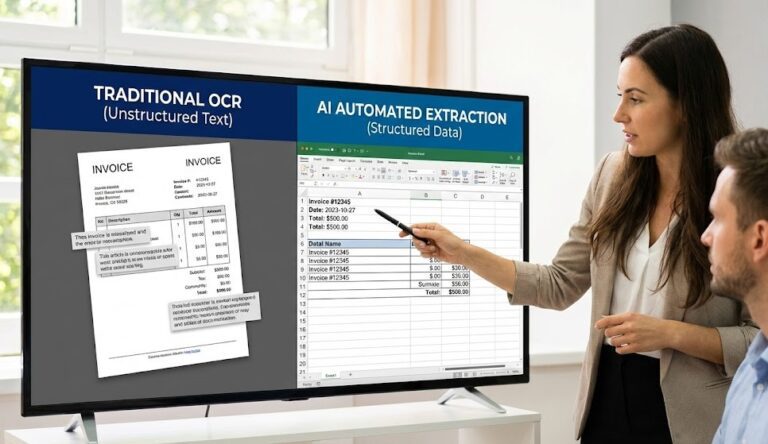
Today, you can bridge the gap between static documents and live spreadsheets using AI. Modern AI invoice scanning software does not rely on rigid templates. It uses Large Language Models (LLMs) to “read” the document like a human.
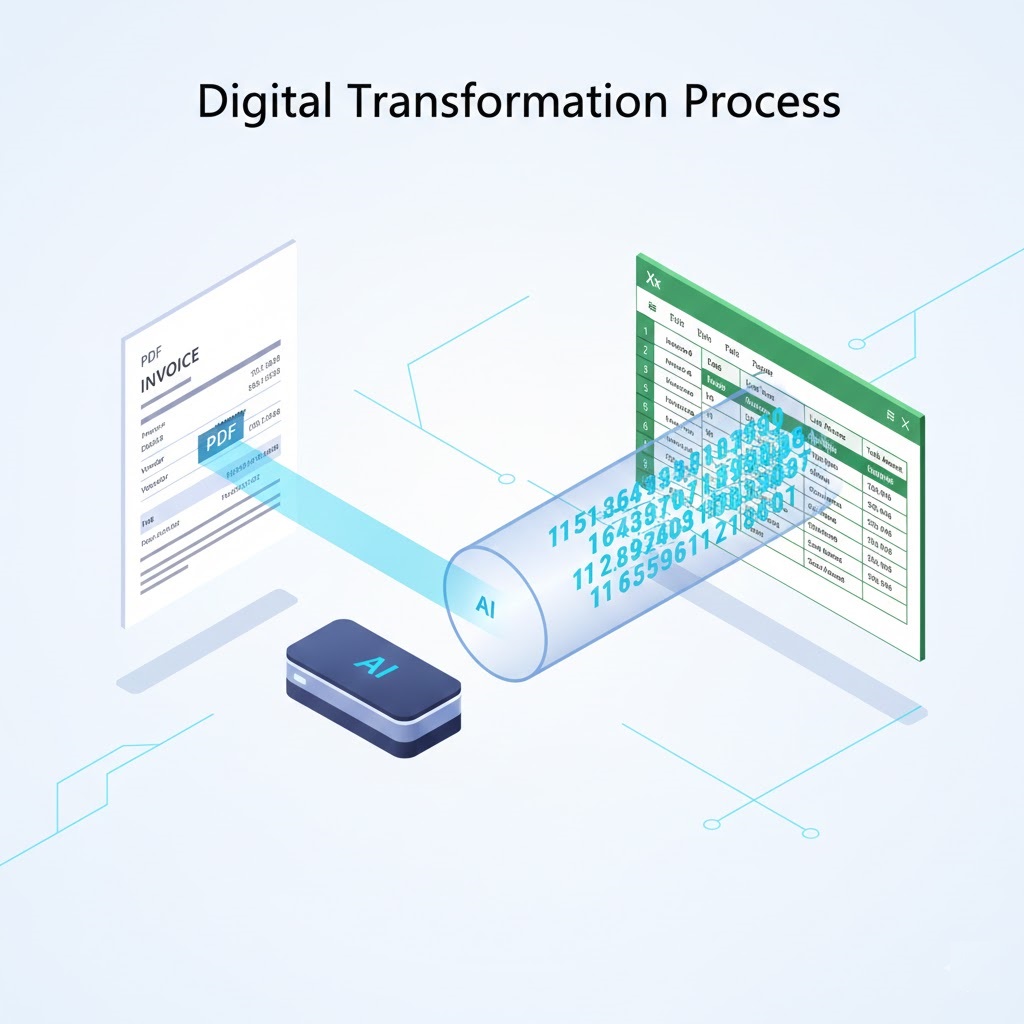
If you need to move data seamlessly, you no longer need to code. You can use a dedicated PDF to Excel invoice converter. The automated pipeline looks like this:
- A PDF document is uploaded to the cloud API.
- Cognitive AI identifies the table structure, ignoring logos and irrelevant text.
- The structured data is exported as JSON and ingested into Excel via Webhook or Power Automate.
This seamless pipeline is the holy grail of data management. For a step-by-step tutorial on building this specific workflow, check out our guide on 5 easy ways to convert PDF invoice to Excel.
7. Strategy: Build vs. Buy in 2026
Once you understand what is excel automation, the next logical question is: “How do we implement it”? You generally have two paths: building custom scripts in-house or buying an API/SaaS solution.
| Factor | Build In-House (Python / VBA) | Buy Solution (API / ParserData) |
|---|---|---|
| Upfront Cost | High (Requires developer salary) | Low (Pay-per-use API model) |
| Time to Market | Weeks or Months | Hours (Instant integration) |
| Maintenance | High (Scripts break when layouts change) | Zero (The API vendor updates the AI) |
| Scalability | Limited by internal server capacity | Infinite (Cloud-native architecture) |
| Best For… | Highly proprietary, complex internal math | Standard business document extraction |
Table: Comparing the Build vs. Buy approach for implementing what is excel automation.
💡 Pro Tips for Successful Implementation
1. Never Automate Broken Processes: Before applying automation, clean up your workflow. If your Excel sheet is a chaotic mess of unstructured tabs, automation will only create errors faster. Standardize your templates first.
2. Use the “Human-in-the-Loop” Method: Do not trust AI blindly on day one. When extracting PDF data into Excel, configure your pipeline to flag documents with low AI confidence scores. Route these specific rows to a human for manual validation. This ensures 100% accuracy.
3. Ditch VBA for Cloud Scripts: If you are writing new automation logic, stop using legacy VBA. Transition to Microsoft Office Scripts (based on TypeScript). This ensures your automation runs on Excel for the Web and integrates smoothly with Power Automate.

8. Security and Compliance in Automated Spreadsheets
When exploring what is excel automation, IT and security teams often raise valid concerns about data privacy. Historically, Excel files were shared via email attachments, creating massive security vulnerabilities, version control nightmares, and “Shadow IT” problems. Furthermore, legacy VBA macros have long been a notorious vector for malware and ransomware attacks.
Modern automation paradigms solve these security flaws completely. By shifting to cloud-based scripts (like Office Scripts) and utilizing secure REST APIs, data is transferred exclusively via encrypted channels (HTTPS/TLS).
For example, when using API tools like ParserData to extract invoice data, the processing happens “in-memory”. The AI reads the document, extracts the financial figures into Excel, and immediately purges the document from active memory. This ensures that your automation workflows remain strictly compliant with GDPR, CCPA, SOC-2, and internal corporate data governance policies. You no longer have sensitive spreadsheets floating around unmonitored; instead, you have a centralized, auditable data pipeline.
9. Common Pitfalls: How NOT to Automate
Understanding the mechanics of what is excel automation is only half the battle. Executing it flawlessly requires avoiding several common traps that frequently derail digital transformation projects in finance departments.
1. Automating a Broken Process
Bill Gates famously noted that automation applied to an inefficient operation will only magnify the inefficiency. If your current Excel template is logically flawed, overly complex, or contains broken VLOOKUPs, automating the data ingestion into it will simply generate wrong answers at lightning speed. Always clean and standardize your spreadsheet architecture before connecting an API.
2. Ignoring Data “Edge Cases”
In the real world, data is messy. Vendor invoices have typos, dates are formatted inconsistently (e.g., DD/MM/YYYY vs. MM/DD/YYYY), and scanned PDFs are sometimes blurry or upside down. Your automation logic must account for these anomalies. Relying on basic OCR instead of semantic AI will lead to broken columns. Ensure your extraction tool has built-in normalization capabilities.
3. The “Set and Forget” Fallacy
While automation drastically reduces daily labor, it is not entirely maintenance-free. Business rules change, tax rates update, and API endpoints evolve. A successful automation strategy requires establishing a monthly quick-review protocol to ensure the data pipelines remain perfectly aligned with your current business goals.
10. Future Trends: Generative AI in Cells
The definition of what is excel automation is evolving rapidly due to Generative AI. Microsoft’s introduction of Copilot directly into the Excel interface means that automation is becoming conversational.
Soon, instead of writing complex VLOOKUPs or building Power Automate flows, a user will simply type into a prompt: “Extract all Q3 software subscriptions from these attached PDF invoices and build a variance chart comparing them to our Q2 budget”. The AI will execute the extraction API, populate the cells, and generate the chart in seconds.
Conclusion: Stop Typing, Start Automating
So, what is excel automation? It is the liberation of human capital. It is the transition from manually typing numbers into a grid to orchestrating intelligent data pipelines.
By leveraging tools like Power Query, Office Scripts, and AI extraction APIs like ParserData, businesses can eliminate the 90% error rate associated with manual spreadsheets. You can turn static, trapped data in PDFs into dynamic, actionable intelligence.
Do not let your highly paid finance professionals operate as data entry clerks. Start your free trial with ParserData today, and connect your documents directly to your spreadsheets automatically.
Frequently Asked Questions
What is excel automation in simple terms?
What is excel automation? It is the process of using software tools, scripts (like Python or VBA), and APIs to perform repetitive spreadsheet tasks automatically without manual human data entry. This includes formatting, document data extraction, and financial reporting.
Why is excel automation important for businesses?
It eliminates human error, saves thousands of labor hours, and ensures that financial data is processed in real-time. Without understanding what is excel automation, businesses suffer from “fat-finger” copy-paste errors that can cost millions in auditing and compliance fines.
Do I need to know how to code to use excel automation?
No. While coding languages like Python and VBA are powerful, modern what is excel automation strategies rely heavily on no-code tools (like Microsoft Power Automate) and API integrations (like ParserData) that require zero programming skills to set up.
Can excel automation extract data from PDFs?
Yes, by integrating external AI extraction APIs. Tools like ParserData can read unstructured PDFs (like invoices or receipts) and automatically push the structured text and numbers directly into your Excel rows, completing the what is excel automation ecosystem.
What is the difference between VBA and Office Scripts?
VBA (Visual Basic for Applications) is a legacy desktop-bound language. Office Scripts is a modern, cloud-based scripting language based on TypeScript that allows your what is excel automation workflows to run on the web, across devices, and integrate easily with cloud apps.
Recommended Reading
- PDF to Excel Invoice Converter: 8 Easy Steps to Automate Fast
- 8 Powerful Steps to Master AI-Powered Data Extraction
- The Role of API in Automation: The Nervous System of Finance
- 35 Essential Types of Business Documents to Automate
Disclaimer: All comparisons in this article are based on publicly available information and our own product research as of the date of publication. Features, pricing, and capabilities may change over time.