AI invoice to Excel converter: Transforming Invoice Processing for Finance Teams
Why your organization needs an AI invoice to Excel converter
Imagine spending countless hours sorting through piles of invoices and manually entering data into spreadsheets just to extract invoice dates and totals from scanned PDFs. This tedious process not only drains resources but also opens the door to human error. The implementation of an AI invoice to Excel converter can effortlessly transform that entire workflow, allowing finance teams to extract invoice data in real-time and convert stacked invoices into structured data with remarkable ease.

What is the AI invoice to Excel converter?
The AI invoice to Excel converter is an automated, intelligent solution designed to streamline the processing of invoices. By utilizing advanced machine learning algorithms, it simplifies the extraction of critical data from invoices, enabling finance teams to input this data into their systems without the typical manual intervention.
Why this problem matters in the industry
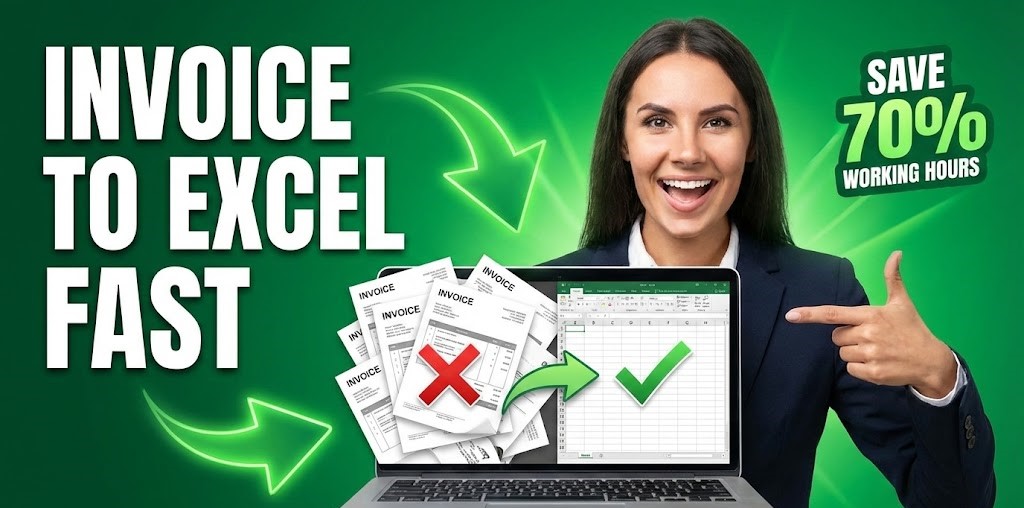
In the finance industry, manual invoice processing can lead to significant inefficiencies. According to the Institute of Management Accountants, organizations can spend up to 70% of their work hours on manual invoice processing. This issue is critical, as it not only consumes time but also increases the likelihood of errors. Outdated methods can result in delayed payments and strained supplier relationships, ultimately affecting cash flow and financial stability.
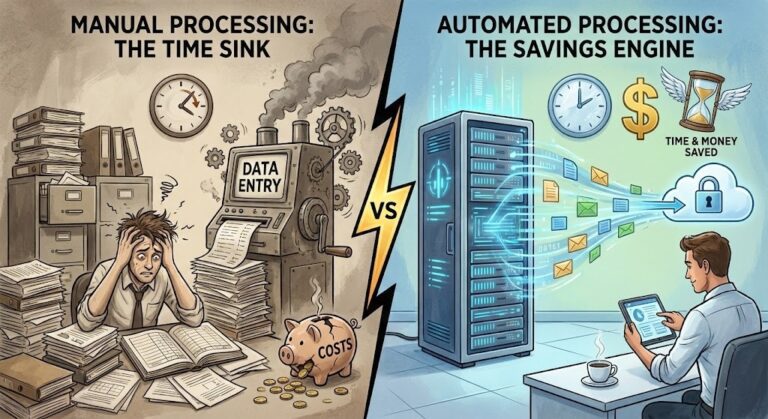
Manual vs. automated workflow
Before automation (Manual workflow)
- Time-consuming data entry: Teams often spend hours extracting data from invoices, resulting in backlog and frustration.
- High error rates: Manual entry increases the risk of inaccuracies, leading to potential financial discrepancies and trust issues with vendors.
- Lack of visibility: Difficulty in tracking invoice statuses can lead to incomplete data and poor financial reporting.
- Increased approval times: The lengthy review process for manually entered data often delays payment cycles, affecting relationships with suppliers.
After automation (Improved workflow)
- Speedy processing: An AI invoice to Excel converter enables teams to handle thousands of invoices in mere hours instead of days.
- Reduced errors: Automated data extraction significantly lowers the chances of human error, thus boosting data accuracy.
- Better visibility: Real-time tracking of invoice statuses allows for greater oversight and improved cash flow management.
- Faster payment cycles: Streamlined processes lead to quicker approvals, benefiting supplier relationships and financial reputation.
How the AI invoice to Excel converter works in practice
Using an AI invoice to Excel converter is a straightforward process that enhances productivity. Here’s how it works:
- Step 1: Upload scanned PDF invoices directly into the system.
- Step 2: The AI technology scans and recognizes key data points such as invoice number, dates, and totals.
- Step 3: Data is extracted in real-time, converting it into structured data formats like CSV or Excel.
- Step 4: Verification checks are performed by the system to ensure the accuracy of extracted data.
- Step 5: Processed invoices are automatically categorized for easy access and reference.
- Step 6: Invoices can be integrated into existing ERP systems for seamless financial operations.
- Step 7: Users receive notifications regarding the status of invoice processing.
- Step 8: Teams quickly access detailed analytics on processed invoices for better financial insights.
Case Study: FinCorp’s Excel Automation Journey
FinCorp, a global financial services provider, was losing 70% of its administrative hours to manual data entry. Their team struggled to extract dates and totals from thousands of scanned PDFs, resulting in frequent backlogs.
By integrating our recommended 8-step AI invoice to Excel converter strategy, they successfully automated the extraction of structured data. This transformation reduced their processing time from days to mere hours, allowed for near-perfect accuracy, and significantly improved their supplier relationships by ensuring on-time payments.
Common mistakes to avoid
- Overlooking software compatibility: Ensure the converter integrates well with existing financial systems to prevent disruptions.
- Ignoring data security: Choose solutions that prioritize data protection to safeguard sensitive information.
- Neglecting staff training: Provide adequate training to employees to maximize tool efficacy and usage.
- Forgetting to analyze performance metrics: Regularly assess data extraction efficiency for continuous improvement.
- Underestimating implementation time: Allow ample time for a smooth transition to automation to avoid workflow interruptions.
Best practices AI invoice to Excel converter
- Conduct thorough research: Evaluate different solutions based on features and user feedback before choosing a tool.
- Set clear goals: Define what you hope to achieve with the AI invoice to Excel converter to guide implementation.
- Continuously monitor performance: Regularly check the efficiency of the system for ongoing improvements.
- Engage staff in the process: Involve your finance team in the rollout to foster acceptance and address challenges early.
- Stay informed on updates: Keep an eye on new features that could improve your invoice processing further.
Afinance team sits relieved as they efficiently manage their invoices using AI technology. The smooth interface on their screens stands in stark contrast to the cluttered desks filled with papers. With signals of approval and celebration, team members highlight the ease of categorizing and processing invoices, reaffirming the transformation brought about by automation.
If you’re looking to enhance your invoicing accuracy and speed, consider utilizing AI-driven document extraction solutions that can sharply reduce processing times while boosting data integrity.
FAQ about the AI invoice to Excel converter
Q1: How does the AI invoice to Excel converter work?
A: This tool uses AI algorithms to scan invoices and extract relevant data such as dates and totals, converting it into structured formats like Excel.
Q2: Can the AI invoice to Excel converter integrate with my existing systems?
A: Yes, most modern AI invoice converters are designed to integrate seamlessly with popular ERP and accounting software.
Q3: What is the typical ROI from implementing an AI invoice to Excel converter?
A: Organizations may see substantial ROI through reduced labor costs, fewer errors, faster processing times, and improved supplier relationships.
Q4: Is it secure to use an AI invoice to Excel converter for sensitive data?
A: Reputable solutions prioritize security, ensuring that your data is protected through encryption and compliance with data protection regulations.
Disclaimer: All comparisons in this article are based on publicly available information and our own product research as of the date of publication. Features, pricing, and capabilities may change over time.