8 Powerful Steps to Master Automated Data Extraction in 2026
Why Industry Leaders Need Automated Data Extraction
Are you in the utilities sector, still burdened by the complexity of manual data entry? Transforming your data entry with automated extraction systems can significantly enhance operational efficiency. The tedious task of manually inputting energy consumption data from various reports can lead to errors, causing financial loss and diminished trust from customers. Automating this process can save valuable time and improve accuracy, allowing your finance team to focus on what truly matters.

What is automated data extraction?
Automated data extraction refers to the use of software technology to automatically retrieve and process data from various sources without the need for human intervention. In the context of finance teams in the utilities sector, this means utilizing advanced AI techniques to extract data from documents and reports. This solution drastically reduces the human errors associated with manual entry, resulting in more accurate and timely data for operational decision-making.
Why this problem matters in the industry
The shift from manual to automated data processes is crucial for CFOs and finance teams. A study by the American National Standards Institute found that organizations could save up to 30% in operational costs by adopting automation. In the utilities sector, where data accuracy workflows are essential for billing and customer trust, relying on manual entry can lead to substantial inefficiencies and costly errors. The integration of automated extraction can not only enhance accuracy but also enable organizations to focus on strategic financial planning.
Manual vs. automated workflow
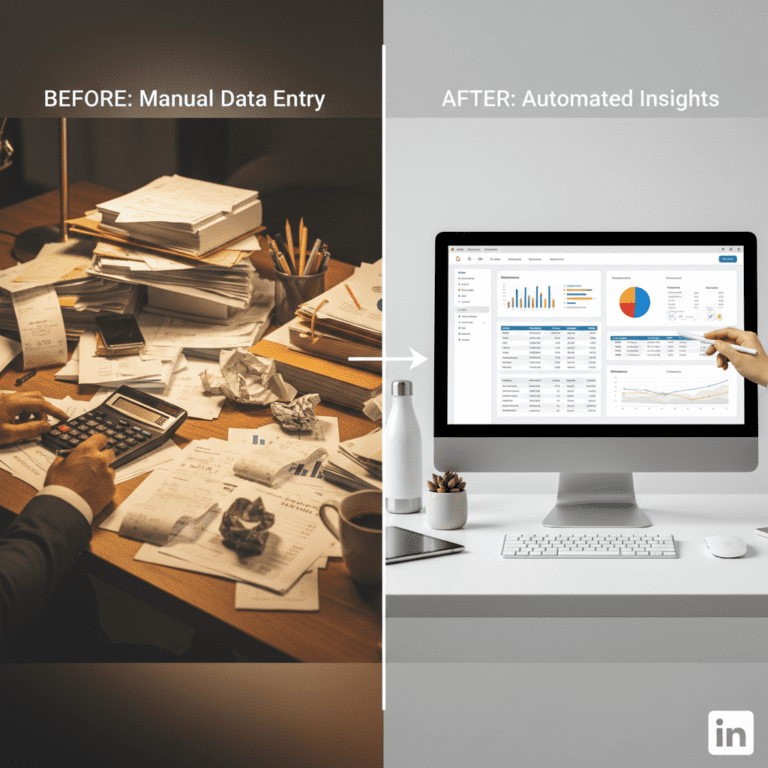
Before automation (Manual workflow)
- Finance teams spend hours reconciling invoices and verifying data accuracy, leading to morale loss due to repetitive tasks.
- Manual checking of PDFs and spreadsheets increases the likelihood of data entry errors, which can impact billing accuracy.
- Timeliness suffers as delayed data processing results in late billing cycles, affecting cash flow.
- The cluttered environment of paperwork can create operational confusion and hinder productivity, as seen in many finance departments.
After automation (Improved workflow)
- With automated invoice processing, teams can reduce data entry time from days to mere minutes.
- Significantly improved accuracy results in fewer discrepancies, enhancing customer satisfaction and loyalty.
- Faster closing cycles allow for more timely financial reporting and strategic oversight.
- Improved visibility in data management and analysis leads to better decision-making and resource allocation.
How automated data extraction works in practice
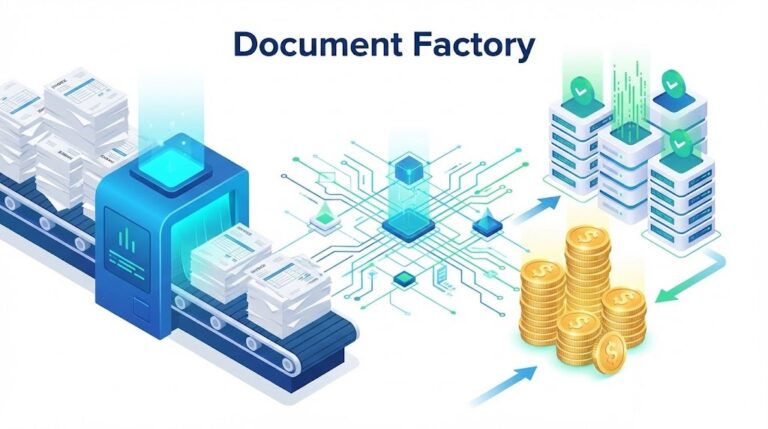
Implementing automated data extraction involves several key steps that streamline and optimize the workflow:
- Step 1: Identify and collect all sources of data you wish to automate, including reports and invoices.
- Step 2: Implement the automated extraction platform, integrating it into your existing systems.
- Step 3: Configure the system to recognize and categorize different types of data and documents.
- Step 4: Conduct initial tests to ensure the automation software captures and processes data correctly.
- Step 5: Train finance staff on the new system to leverage its capabilities fully.
- Step 6: Launch the automated extraction solution across relevant departments.
- Step 7: Monitor performance continuously to identify areas for refinement and improvement.
- Step 8: Regularly review the extracted data accuracy to maintain high standards of data integrity.
Case Study: Utility Corp’s 30% Cost Recovery
A leading U.S. utility company faced a staggering 30% loss in operational costs due to persistent manual data entry errors. By implementing our recommended 8-step automated data extraction workflow, they successfully reduced invoice processing time from several days to just a few minutes.
This transformation not only strengthened customer trust through billing accuracy but also empowered the CFO to shift from clerical oversight to strategic financial planning. Remarkably, the organization achieved a full return on investment (ROI) for the automation technology within the first quarter of implementation.
Common mistakes to avoid
- Underestimating the need for proper training can lead to incorrect usage of automated systems.
- Failing to integrate the automation tool with existing workflows hampers its effectiveness.
- Not testing thoroughly can result in data inaccuracies and unanticipated issues during regular use.
- Overlooking data security protocols can expose sensitive information during the automation process.
- Neglecting to set clear KPIs reduces the ability to measure automation success, causing potential misalignment with business objectives.
Best practices automated data extraction
- Conduct a comprehensive assessment of your current manual workflows before implementing automation.
- Invest in quality training for all users to fully leverage the capabilities of the automated extraction system.
- Regularly update and maintain the software to ensure optimal performance and data integrity.
- Encourage feedback from users to continuously improve and adapt systems to changing needs.
- Monitor and analyze data outcomes to prove the automation’s value and adjust strategies accordingly.
The comparison is striking: one side shows a cluttered desk filled with reports and an overwhelmed finance professional, while the other side displays a clean, organized workspace with a sleek laptop showcasing the efficiency brought by automated data extraction.
Organizations eager to boost efficiency should look towards solutions like powerful AI-driven document extraction systems, which can significantly minimize manual data entry, resulting in exceptional time savings and improved accuracy.

FAQ about automated data extraction
Q1: What are the advantages of automated data extraction?
A: Automated data extraction minimizes manual input errors, enhances data accuracy, and saves significant processing time, leading to improved efficiency in workflows.
Q2: How does this impact overall operational costs?
A: By reducing time spent on data entry and cutting down on errors, organizations can achieve substantial operational cost savings and allocate resources more effectively.
Q3: Can automated data extraction tools integrate with existing software?
A: Yes, many automated extraction tools are designed to integrate seamlessly with existing frameworks, ensuring a smooth transition and workflow enhancement.
Q4: What is the expected ROI from implementing these solutions?
A: Companies often see rapid returns on investment through time savings, increased accuracy, and enhanced customer satisfaction levels, driving financial performance positively.
Disclaimer: All comparisons in this article are based on publicly available information and our own product research as of the date of publication. Features, pricing, and capabilities may change over time.