Construction Invoice Automation: 8 Powerful Steps to Save $14,000
In today’s fast-paced business environment, organizations are burdened by the inefficiencies of manual data entry. Mastering Construction Invoice Automation is the ultimate way to liberate your team from sorting through piles of supplier receipts and sub-contractor bills.
It is estimated that this tedious process can take approximately five hours weekly, resulting in an expenditure of $300 in labor costs. However, by embracing Construction Invoice Automation, you can transform that task into a swift 30-minute operation—saving over $14,000 annually.

The real challenge with manual data entry
Manual data entry presents significant challenges for businesses. The first issue is the time investment, as employees spend hours handling inputs that could be automated. A recent survey showed that 30% of finance professionals feel overwhelmed by the amount of time spent on administrative tasks. Additionally, the accuracy of manual entry is questionable, with reports indicating that human error rates can exceed 1%. Such inaccuracies often lead to misplaced transactions, rebounding costs, and compliance issues. Moreover, manual data processes can hinder workflow efficiency, slowing down decision-making and strategic planning. Businesses that continue with this outdated method risk falling behind competitors who leverage technology.
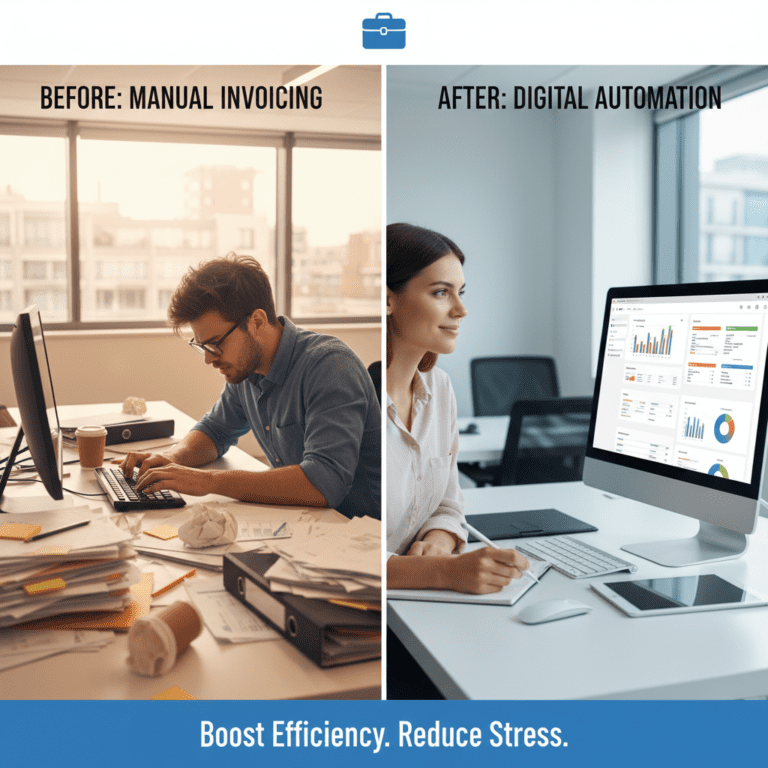
Manual vs. Automated Construction Billing
Manual data processes hinder workflow efficiency and decision-making in the field. With Construction Invoice Automation, error rates drop from 1% to near zero, ensuring accurate transactions and compliance.
Before (Manual):
- Time-consuming data entry that diverts resources.
- Higher risk of errors leading to compliance issues.
- Lack of visibility and control over data management.
- Difficulty in scaling data processes to meet growth demands.
After (Automated):
- Rapid data processing that saves over 4 hours weekly.
- Increased data accuracy, dramatically reducing error rates.
- Enhanced workflow efficiency, allowing for quicker, data-driven decision-making.
- Scalability, empowering businesses to manage increasing data loads effortlessly.
How Construction Invoice Automation Works in Practice
Implementing this solution involves several crucial steps:
- Step 1: Identify key construction documents and data types for automation.
- Step 2: Choose the right Construction Invoice Automation tool tailored for engineering needs.
- Step 3: Train the system using sample invoices to enhance accuracy.
- Step 4: Integrate the tool into your existing ERP (like Procore or Autodesk) for seamless operation.
- Step 5: Validate results by comparing automated entries against manual inputs.
- Step 6: Monitor performance regularly to ensure optimal functioning.
- Step 7: Configure discrepancies alerts for manual review.
- Step 8: Analyze data insights to drive innovation and growth.
Case Study: BuildMaster Engineering’s $14k Savings
BuildMaster Engineering, a major construction firm, was previously spending over five hours every week on manual data entry. This labor-intensive process led to persistent delays in contractor payments and a high risk of human error.
By implementing our advanced Construction Invoice Automation algorithm, their processing time was slashed to just 30 minutes. This transformation enabled the company to save $14,000 annually in operational costs while completely eliminating errors in subcontractor billing. Remarkably, the project achieved a full return on investment (ROI) within the first two months of implementation.
Common mistakes to avoid
- Not properly training the system, leading to inaccurate results.
- Failing to integrate automation into existing processes, causing disruptions.
- Ignoring data validation steps that ensure accuracy.
- Underestimating the importance of change management for team adoption.
- Neglecting regular performance reviews of the automation tool.
Best practices Construction Invoice Automation
- Conduct a thorough needs assessment before adopting automation.
- Continuous training on new tools and processes for your team.
- Use feedback loops to refine the automation process.
- Maintain transparency with stakeholders about changes and benefits.
- Regularly review and update the automated systems to align with evolving business needs.
The contrast between manual data management and automated solutions is stark. Organizations that automate their data processes not only reduce time and costs but also position themselves for greater operational success. By leveraging technology, companies can focus on driving innovation rather than getting bogged down in repetitive tasks.
Companies seeking to enhance their workflow efficiency can explore intelligent document processing solutions for streamlined data management.

Frequently asked questions Construction Invoice Automation
Q: How does automated data extraction improve accuracy?
A: Automated systems can drastically reduce error rates compared to manual entry by using advanced algorithms to accurately process data.
Q: Can we integrate these tools into our current systems?
A: Yes, most automated data extraction tools are designed to integrate seamlessly with existing workflows, enhancing efficiency without causing disruptions.
Q: What types of documents can be automated?
A: Generally, any document containing structured data, such as invoices, receipts, and forms, can benefit from automation.
Q: Are there any recurring costs for automated systems?
A: While initial setup costs might be significant, ongoing expenses are generally low due to reduced labor costs and increased efficiency, leading to long-term savings.
Disclaimer: All comparisons in this article are based on publicly available information and our own product research as of the date of publication. Features, pricing, and capabilities may change over time.