
How to Convert PDFs to Structured Data: The 2026 Master Guide
We live in a data-driven world, yet over 80% of enterprise data is locked in “digital paper” unstructured documents like PDFs. This is what analysts call “Dark Data“. It exists, but you can’t use it. You can’t query a PDF invoice to find out how much you spent on logistics last month. You can’t filter a PDF contract by “Expiration Date“. To unlock this value, you must know how to convert pdfs to structured data.
This process is not just about copying and pasting. It involves complex technologies like OCR, NLP, and parsing logic to transform visual pixels into machine-readable formats like JSON, XML, or CSV. In this master guide, we will move beyond the basics and explore the technical and strategic workflows required to automate this conversion at scale in 2026.
Table of Contents
- 1. The Core Challenge: Why PDFs are “Data Traps”
- 2. Structured vs. Unstructured Data: Defining the Goal
- 3. The 3 Methods of Conversion (Legacy vs. AI)
- 4. Step 1: Document Audit and Pre-processing
- 5. Step 2: Extraction Strategies (Text & Tables)
- 6. Step 3: Validation and Data Enrichment
- 7. For Developers: Python vs. No-Code APIs
- 8. Real-World Use Cases
1. The Core Challenge: Why PDFs are “Data Traps”
Portable Document Format (PDF) was invented in 1993 to preserve layout, not data. To a computer, a PDF is not a spreadsheet; it is a map of where to place ink on a page. When you ask how to convert pdfs to structured data, you are essentially asking how to reverse-engineer a printed page back into a database.
According to IDC, the global volume of data will reach 175 zettabytes by 2025, and a significant portion remains trapped in unstructured formats. Companies that solve this extraction problem gain a massive competitive edge in speed and analytics.
2. Structured vs. Unstructured Data: Defining the Goal
Before we start converting, we must define the destination.
- Unstructured Data (Input): A PDF invoice where the Total Amount is just visual text located at coordinates (X: 400, Y: 600).
- Structured Data (Output): A formalized format where data is tagged.
| Feature | PDF (Unstructured) | JSON/Excel (Structured) |
| Searchability | Low (Keyword only) | High (Query by field) |
| Automation | Impossible | Native via API |
| Analytics | None | Ready for BI Dashboards |
3. The 3 Methods of Conversion (Legacy vs. AI)
When learning how to convert pdfs to structured data, you will encounter three distinct approaches.
Method A: Manual Entry (The Old Way)
Humans read the PDF and type it into Excel. It is slow, expensive, and prone to error rates of 1-4%. As discussed in our article on why automate data processing, this method is obsolete for scaling businesses.
Method B: Zonal OCR (The Template Way)
You draw a box on the screen and tell the software: “Always look for the Total in this box“.
- Pros: Fast for identical forms.
- Cons: Breaks instantly if the vendor moves the text by 5 millimeters.
Method C: AI & Cognitive Capture (The Modern Way)
Tools like ParserData use Large Language Models (LLMs) and computer vision. They understand the document layout like a human does. They look for the context (“Total Due“) rather than a fixed location. This is the only viable method for processing variable documents like diverse business invoices.
4. Step 1: Document Audit and Pre-processing
The first technical step in learning how to convert pdfs to structured data is auditing your source material. Not all PDFs are created equal.
- Native PDFs: Created digitally (e.g., from Word or Quickbooks). They contain a text layer. These are easy to parse.
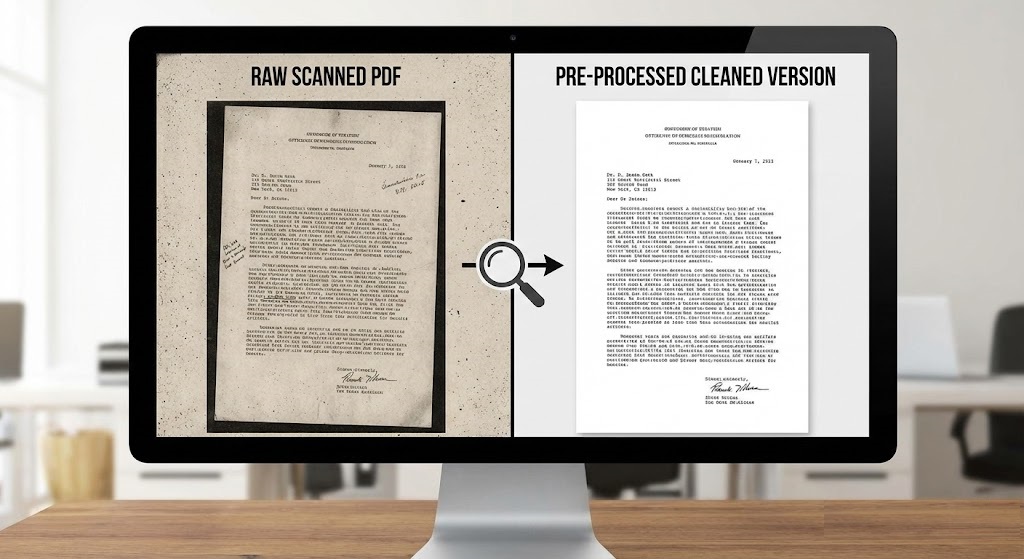
- Scanned PDFs (Raster): These are just images inside a PDF wrapper. They require OCR (Optical Character Recognition) to “read” the pixels first.
Identifying these types correctly is the foundation of learning how to convert pdfs to structured data without errors.
Pro Tip: Always apply “Pre-processing” filters to scanned PDFs. De-skewing (straightening the image) and Binarization (converting to strict black and white) can improve OCR accuracy by 20%.
5. Step 2: Extraction Strategies (Text & Tables)
Once the text is legible, how do we get the data? This is the most complex part of the guide on how to convert pdfs to structured data.
Key-Value Pair Extraction
This extracts singular data points.
- Input: “Invoice #: 12345”
- Output:
{"invoice_number": "12345"}
Table Extraction (The Hardest Part)
Tables are notoriously difficult because they span multiple pages and have variable row heights.
Legacy tools try to detect grid lines. When figuring out how to convert pdfs to structured data, modern AI tools analyze the whitespace alignment rather than just grid lines. If you are dealing with complex line items (e.g., in manufacturing invoices), ensure your chosen tool supports “Multi-page Table Stitching“.
6. Step 3: Validation and Enrichment
Converting the PDF is only half the battle. The extracted data must be trustworthy. In a robust pipeline on how to convert pdfs to structured data, this step acts as the quality gate.
Validation Rules (Sanity Checks)
Never trust the output blindly. Implement logic to catch errors:
- Format Check: Does the “Date” field match YYYY-MM-DD?
- Math Check: Does
Subtotal + Tax = Total? - Confidence Score: Most AI tools provide a confidence score (0-100%). If a field scores below 80%, route it to a human for review.
Data Enrichment
Structured data allows you to add value. For example, once you extract a Vendor Name, you can ping an external API to fetch their credit rating or tax status automatically. This step transforms simple OCR into a strategic workflow on how to convert pdfs to structured data for business intelligence.
7. For Developers: Python vs. No-Code APIs
If you are building this system, you have two paths. Here is a technical breakdown of how to convert pdfs to structured data using code versus using an API.
Path A: The Python Route (Open Source)
For native PDFs, libraries like pdfplumber are excellent. Here is a basic snippet to extract text:
Python
import pdfplumber

def extract_text_from_pdf(pdf_path):
    with pdfplumber.open(pdf_path) as pdf:
        text = ""
        for page in pdf.pages:
            text += page.extract_text()
    return text

# Limitation: This fails completely if the PDF is a scanned image.
The Hidden Cost: While Python libraries are free, building a system that handles scanned images, rotation, table parsing, and multi-column layouts requires months of engineering. This high maintenance cost makes the manual coding approach to how to convert pdfs to structured data unscalable for growing teams.
Path B: The API Route (ParserData)
For most businesses, the scalable answer to how to convert pdfs to structured data is using a dedicated API. You send the file, and the AI handles the complexity.
Using ParserData’s API, the process is simplified to a single request that returns clean JSON, regardless of whether the source is a scan or a native file.
8. Real-World Use Cases
Where is this technology applied? Here are three scenarios where knowing how to convert pdfs to structured data creates immediate ROI.
Case 1: Accounts Payable (AP)
Companies receive thousands of invoices. Converting them to JSON allows for automatic ingestion into SAP or Quickbooks, reducing payment times by 70%. (See our guide on financial document automation tools).
Case 2: Logistics & Supply Chain
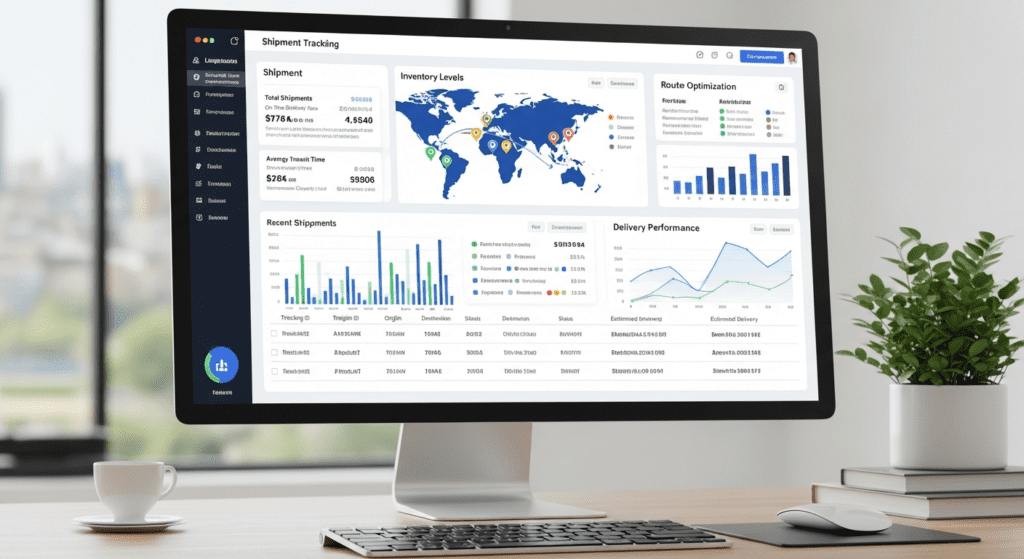
Bills of Lading and Customs Declarations are often messy scans. Structured extraction allows logistics coordinators to track shipments in real-time dashboards instead of reading paper logs.
Case 3: KYC and Onboarding
Banks use this technology to solve the issue of how to convert pdfs to structured data instantly for ID verification, ensuring compliance without making the customer wait.
Conclusion
Mastering how to convert pdfs to structured data is a superpower in the digital economy. It bridges the gap between the legacy world of paper and the future of AI analytics. By moving from manual entry to automated pipelines, you unlock the “Dark Data” within your organization, turning static files into actionable insights.
Ready to stop typing and start automating? Try ParserData today to experience accurate, AI-powered extraction.
Frequently Asked Questions
What is the difference between unstructured PDF and structured data?
A PDF is designed for human reading (visual layout), while structured data (JSON, CSV, SQL) is organized in a fixed schema for machine processing. You cannot query a PDF, but you can query a database.
Can I convert PDFs to structured data using Python?
Yes. Python libraries like pdfplumber, PyPDF2, and Tabula-py are excellent for extracting text and tables from native PDFs. However, they struggle with scanned images and complex layouts compared to AI tools.
How accurate is AI extraction for handwriting?
Modern AI extraction tools using Intelligent Document Processing (IDP) can achieve 90-95% accuracy on clear handwriting, but they still require a “Human-in-the-Loop” for validation.
What is the best format for structured data export?
JSON (JavaScript Object Notation) is the industry standard for APIs and web integrations because it handles nested data well. CSV is preferred for flat data intended for Excel or legacy systems.
Why is table extraction so difficult in PDFs?
PDFs don’t actually “know” what a table is; they just see lines and text floating in space. Reconstructing rows and columns requires complex algorithms to detect grid lines and alignment.
Recommended
- PDF to Excel Invoice Converter: 8 Easy Steps
- What Is Data Extraction? The Complete Guide
- 35 Essential Types of Business Documents
- Data Quality in Automation: The Hidden Key to ROI
Disclaimer: All comparisons in this article are based on publicly available information and our own product research as of the date of publication. Features, pricing, and capabilities may change over time.