Step by Step Data Extraction: The Best How-To Guide (2026)
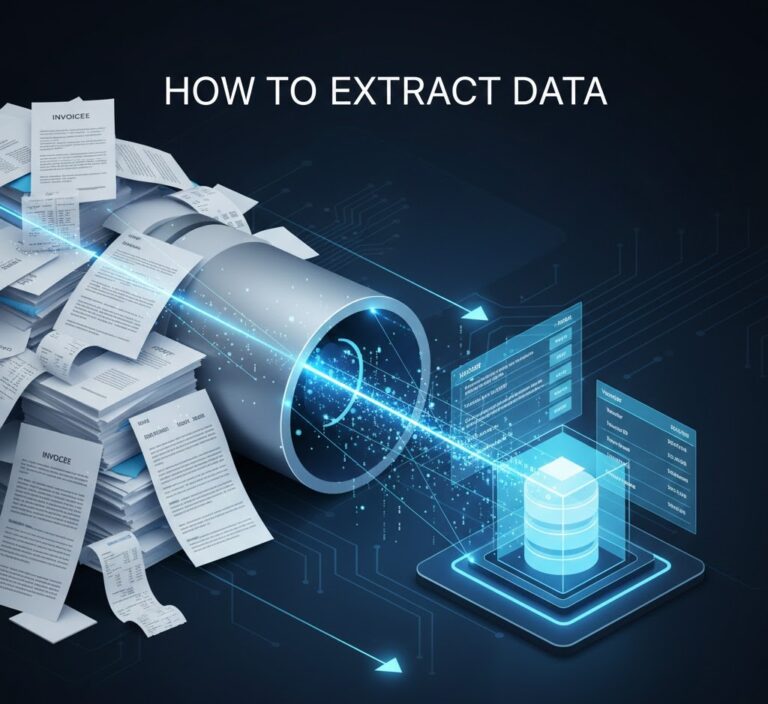
In the digital economy, data is widely considered the ultimate corporate asset. However, a massive chasm exists between possessing data and actually being able to use it. According to the leading research firm Gartner, up to 80% of all enterprise data is unstructured. It is trapped in static PDF files, email bodies, scanned vendor invoices, and paper contracts.
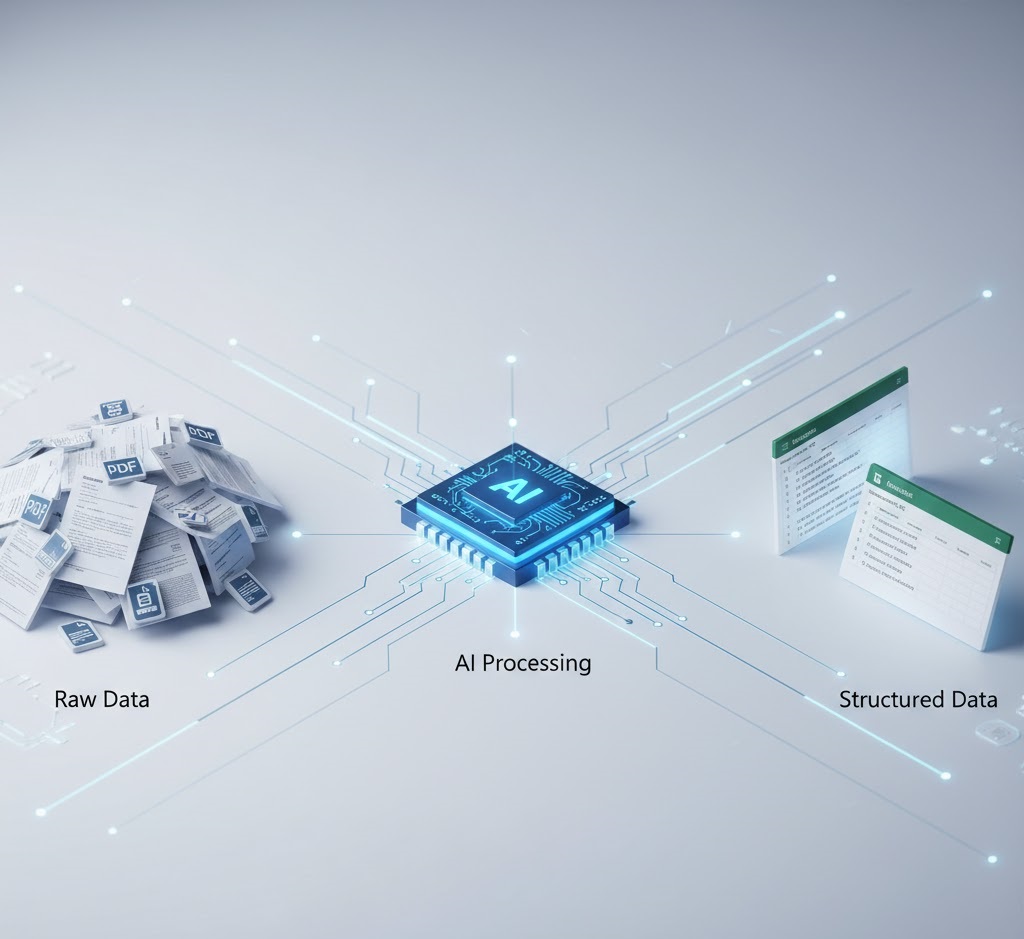
To transform this chaotic mountain of files into a structured, queryable database (such as SQL or an ERP system), organizations require a rigorous, scalable methodology. This is where a reliable step by step data extraction framework becomes essential. It is not merely an IT task; it is a core operational strategy designed to permanently eliminate the need for manual copy-pasting.
A recent report by Forbes highlights that manual data entry errors cost the global economy trillions of dollars annually. By implementing a proper step by step data extraction pipeline, modern businesses not only cut their operational overhead by 30-40% but also reduce critical “fat-finger” errors to near zero.
In this comprehensive, ultimate How-To guide for 2026, we will deconstruct the entire workflow. You will discover how to build an unbreakable data pipeline, understand the critical differences between legacy OCR and modern Semantic AI, and learn how to automate your step by step data extraction using APIs so that data flows seamlessly into your systems.
Table of Contents: The Extraction Framework
- 1. Why You Need a Step by Step Data Extraction Framework
- 2. Phase 1: Source Identification & Ingestion
- 3. Phase 2: Document Pre-Processing & Cleaning
- 4. Phase 3: The Extraction Engine (OCR vs. LLM)
- 5. Phase 4: Data Validation & Quality Control
- 6. Phase 5: Routing & API Integration
- 7. Real-World Tutorial: Automating AP Invoices
- 8. Common Pitfalls to Avoid in 2026
- 9. Manual vs. Automated: A Phase-by-Phase Comparison
1. Why You Need a Step by Step Data Extraction Framework
Before diving into the technical configurations, it is crucial to understand why an ad-hoc approach is destined to fail. Many companies attempt to solve their unstructured data problems by purchasing random software and hoping for instantaneous results. Without a foundational step by step data extraction methodology, these initiatives quickly become a graveyard of wasted IT budgets.
A highly structured framework is necessary for three primary reasons:
- Scalability: A workflow that manages 10 invoices a day must be able to handle 10,000 invoices a day without breaking or requiring proportional increases in human staff.
- Security and Compliance: The documents being processed often contain highly sensitive corporate or personal information. A rigid process ensures compliance with global standards like GDPR, HIPAA, and SOC-2.
- Format Agnosticism: A perfect step by step data extraction pipeline must process PDFs, JPEGs, and text files with equal proficiency. For a deeper look into the fundamentals, read our core guide on what is data extraction.
2. Phase 1: Source Identification & Ingestion
The very first phase in any successful step by step data extraction guide is building the “funnel”. Your data cannot remain stagnant in employee inboxes or disorganized local hard drives.
Mapping Your Data Sources
You must conduct a thorough audit of all data entry points within your organization. Typically, these fall into three categories:
- Email Attachments: Vendor invoices and purchase orders sent directly to aliases like
billing@yourcompany.com. - Cloud Storage: Customer onboarding documents uploaded via web portals directly into Google Drive, AWS S3, or SharePoint.
- Physical Media: Paper bills of lading or receipts scanned by warehouse staff. Check out our comprehensive list of 35 types of business documents that require automation.
Automating the Ingestion Layer
To initiate a truly autonomous step by step data extraction workflow, you must remove humans from the downloading process entirely. Utilize automation platforms like Zapier, Make.com, or Microsoft Power Automate. Your goal is to configure a trigger: “When a new email arrives with a PDF attachment, automatically send that PDF to our API extraction engine”.
3. Phase 2: Document Pre-Processing & Cleaning
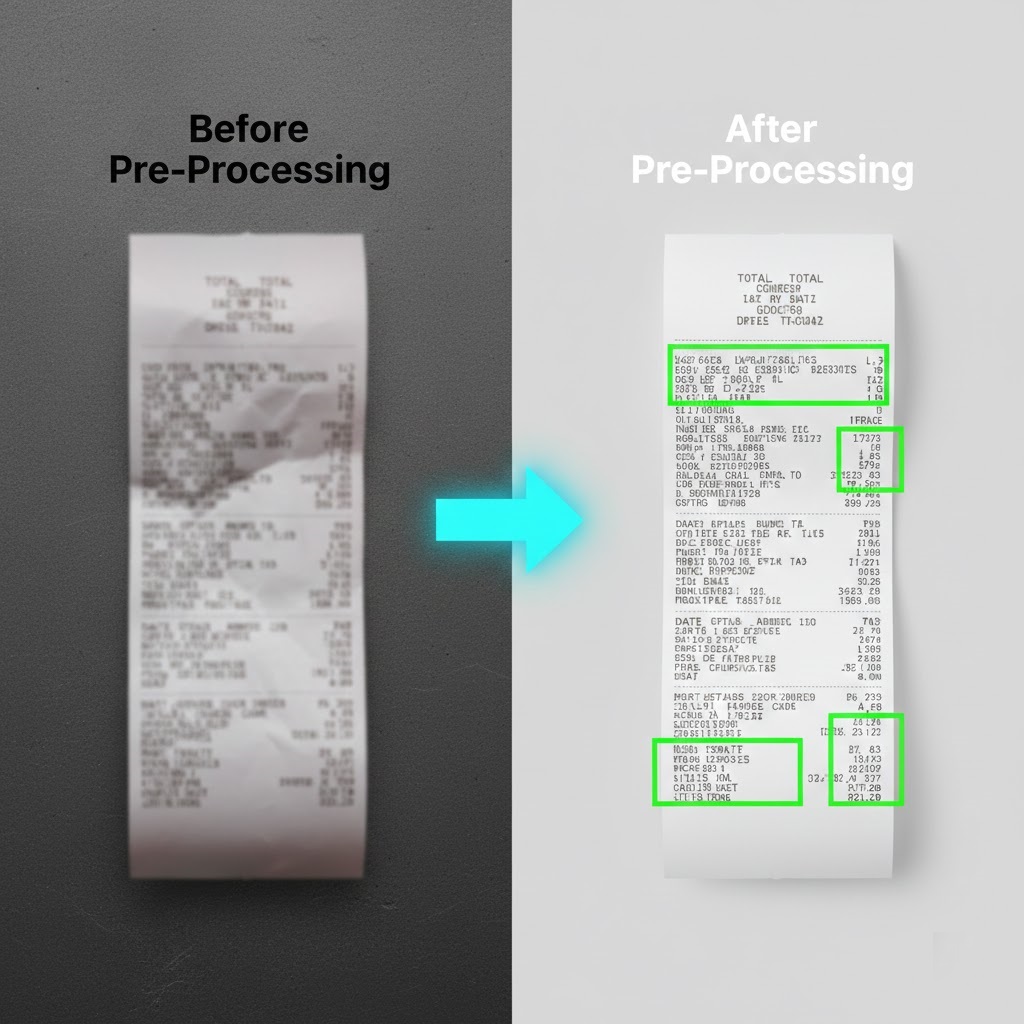
In the real world, documents are rarely perfect. They are often scanned upside down, stained with coffee rings, overlayed with handwritten notes, or saved at terrible resolutions. If you bypass the cleaning phase, your step by step data extraction will yield high error rates.
| Document Issue | Pre-Processing Technology Applied |
|---|---|
| Scanned at an angle (Skewed) | Deskewing: Automatically rotating the page so the text aligns perfectly horizontally. |
| Low contrast or shadows | Binarization: Converting the image to a strict black-and-white format, removing grayscale shadows. |
| Artifacts and noise | Despeckling: Removing digital “dust” and spots that an algorithm might misinterpret as punctuation. |
| Multi-page unseparated files | Document Splitting: Using AI to identify where one invoice ends and the next begins within a single 50-page PDF. |
Table: The importance of document pre-processing in the extraction architecture.
In modern API-driven platforms like ParserData, this phase is built directly into the engine. You do not need to write custom Python scripts to clean images; the system automatically performs these adjustments in milliseconds before moving to the next stage.
4. Phase 3: The Extraction Engine (OCR vs. LLM)
We have now reached the beating heart of our step by step data extraction process. How exactly does the computer “read” and comprehend the text? This is where the great technological divide occurs: legacy OCR versus modern Semantic Artificial Intelligence.
The Legacy Approach: Zonal OCR
A decade ago, data extraction relied on strict templates. You would draw a bounding box in the top right corner of a document and program the system: “Whatever text is inside this box is the Invoice Date”.
The Problem: The moment a vendor updates their logo and pushes the date down by two inches, your entire step by step data extraction pipeline shatters. This method required a dedicated IT team just to maintain and fix broken templates.
The Modern Approach: Semantic AI & LLMs
In 2026, cutting-edge platforms deploy Deep Learning and Large Language Models. The AI reads the document exactly like a human would by understanding context.
Even if the phrase “Total Amount” is randomly replaced with “Final Balance Due”, or if the line-item table has an irregular number of columns, the AI semantically understands where the financial figures reside. This allows for powerful, template-free step by step data extraction.
For a technical perspective on connecting these intelligent engines to your internal software, review our guide on the role of API in automation.
5. Phase 4: Data Validation & Quality Control
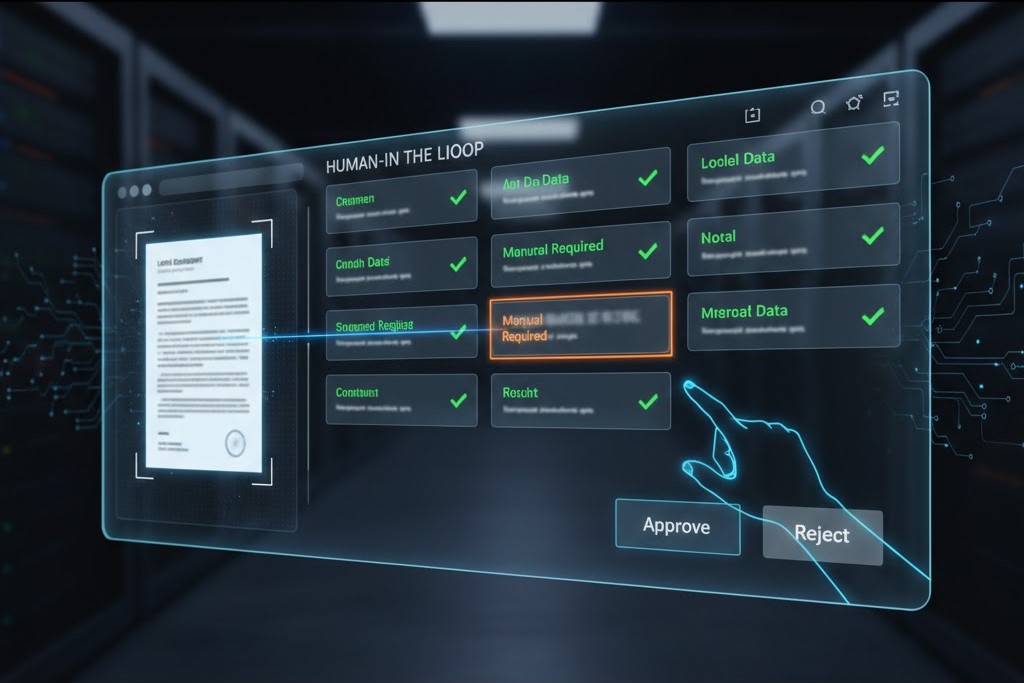
Many companies mistakenly believe that the step by step data extraction process ends once the AI “reads” the document. In reality, extraction without rigorous quality control is a direct path to polluting your database. A modern pipeline requires a robust, automated validation system.
The “Human-in-the-Loop” (HITL) Concept
Even the most advanced Large Language Models (LLMs) are not flawless. The ideal step by step data extraction algorithm employs a “Human-in-the-Loop” (HITL) framework. Here is how it operates in practice:
- Confidence Scoring: When the AI extracts fields like “Total Amount” or “Invoice Date”, it assigns a confidence score ranging from 0% to 100% to each specific value.
- Straight-Through Processing: If the confidence score is 95% or higher, the data flows automatically into your ERP system without any human review.
- Manual Review: If the score drops below a set threshold say 90% (e.g., due to a blurry scan or complex handwriting) the system pauses and routes that specific document to a human operator queue for rapid visual verification.
Regex (Regular Expression) Validation
Beyond AI scoring, a high-quality step by step data extraction workflow includes strict format validation. For example, if the system expects a “Vendor Email” but the extracted text lacks an “@” symbol, a critical error trigger is activated. This guarantees 100% database accuracy. Learn more about why precision heavily outweighs speed in our article on data quality in automation.
6. Phase 5: Routing & API Integration
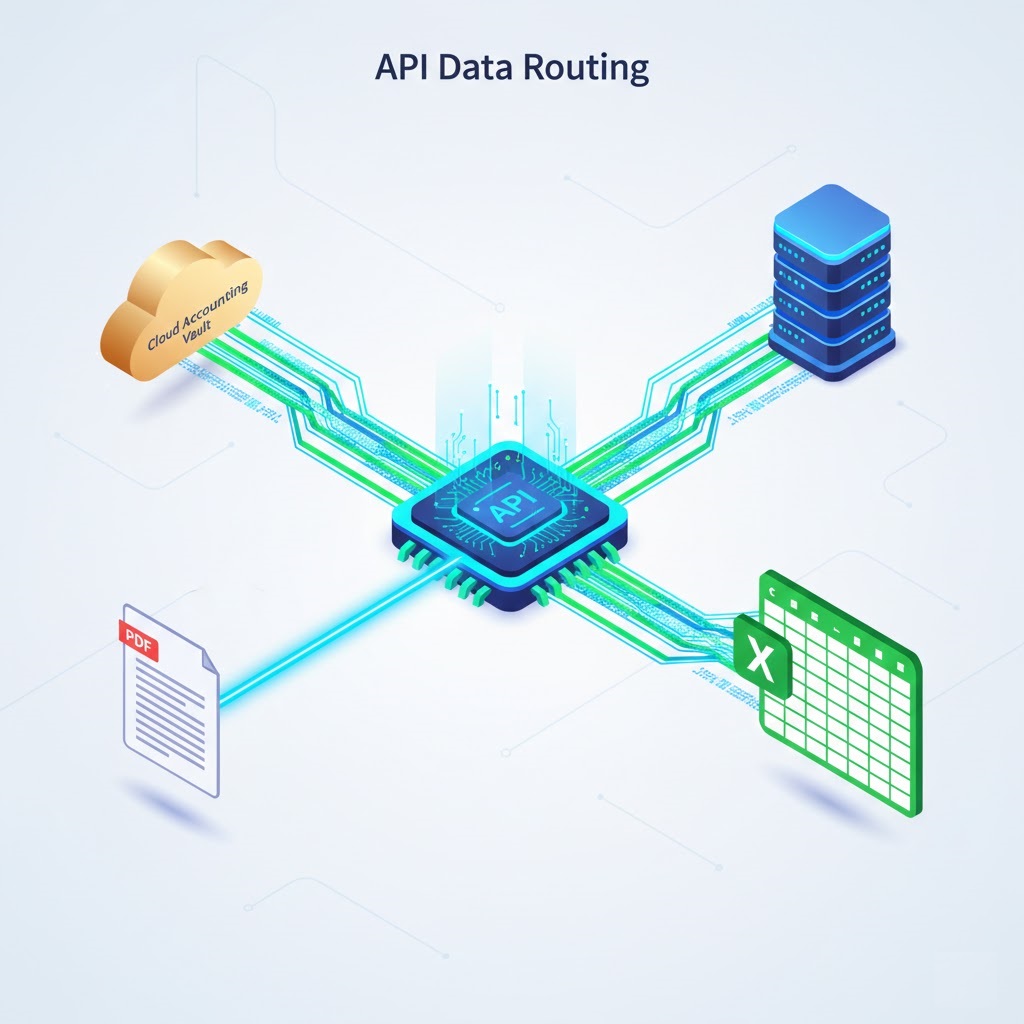
The penultimate stage of your step by step data extraction strategy is delivering the extracted and validated information to its final destination. JSON data provides absolutely no business value if it remains stuck on a developer’s local server.
Utilizing Webhooks and APIs
Instead of manually downloading CSV files and uploading them into accounting software, modern enterprises use APIs for seamless, instantaneous data transfer. Once the step by step data extraction process is successfully completed, the system (like ParserData) fires a Webhook an instant notification directly to your server.
This parsed data can then be automatically routed using integration platforms like Zapier, n8n, or Make.com into various environments:
- Databases: SQL, Snowflake, PostgreSQL, or Airtable.
- Accounting Software: QuickBooks Online, Xero, NetSuite.
- Spreadsheets: Direct data pushes into Microsoft Excel (detailed integration steps are covered in our guide explaining what is excel automation).
7. Real-World Tutorial: Automating AP Invoices
To completely solidify your understanding of step by step data extraction, let’s examine a real-world, highly profitable scenario: fully automating Accounts Payable (AP) invoices.
- Trigger (Ingestion): A vendor emails a PDF invoice to your dedicated alias,
invoices@yourcompany.com. - Capture: A Zapier integration “listens” to this inbox, captures the incoming PDF attachment, and securely forwards it via API to ParserData.
- Pre-processing & Engine: The algorithm enhances the image quality. Then, the AI executes the step by step data extraction, pulling the Invoice Number, Total Due, Line Items, and Vendor Name contextually, without relying on rigid templates.
- Validation: The AI assigns a 99% confidence score to the extraction. No human intervention is required.
- Routing: The data is automatically transformed into a new row in your Excel budgeting spreadsheet and drafted as a “Bill to Pay” in Xero. The entire sequence takes under 5 seconds.
If you are looking for a reliable, lightweight tool to solve this exact problem without paying enterprise fees, check out our review on the best Tipalti alternative for data extraction.
8. Common Pitfalls to Avoid in 2026
Even armed with a perfect step by step data extraction guide, IT and operations teams frequently make implementation errors. Avoid the following traps to prevent draining your IT budget and stalling your digital transformation:
Automating Chaos
Bill Gates famously noted that automating an inefficient operation will simply magnify the inefficiency. If you do not know exactly which fields you need for your downstream reporting, no AI will save you. Before launching your step by step data extraction pipelines, standardize your spreadsheet schemas and database requirements.
Ignoring “Dark Data”
Many companies optimize their pipelines only for pristine, digital-born PDFs, completely ignoring smartphone photos of receipts, low-quality scans, and handwritten waybills. Ensure your extraction engine supports advanced Intelligent Document Processing (IDP) technology to handle all document formats natively.

9. Manual vs. Automated: A Phase-by-Phase Comparison
To visualize the true impact of upgrading your workflow, let’s compare the traditional manual approach against a fully automated pipeline across every single phase we just discussed.
| Pipeline Phase | Traditional Manual Approach | Modern API Automation | Estimated Time Saved |
|---|---|---|---|
| 1. Ingestion | Downloading email attachments and saving them to local folders. | Webhooks instantly catch and forward attachments to the server. | 100% (Instant) |
| 2. Pre-Processing | Squinting at blurry scans or asking the sender for a clearer copy. | AI automatically deskews, binarizes, and enhances the image. | Minutes per document |
| 3. Extraction | Typing numbers into a spreadsheet cell by cell (high error risk). | Semantic AI reads and maps variables to JSON automatically. | 5-10 minutes per document |
| 4. Validation | Spot-checking random rows in Excel at the end of the month. | Algorithmic confidence scores flag only the uncertain fields. | Hours of auditing |
| 5. Routing | Uploading CSV files into the ERP system manually. | API pushes data directly into accounting software (e.g., Xero). | 100% (Instant) |
Table: The operational differences and time savings at each phase of the extraction pipeline.
💡 Expert Pro Tips for Scaling Your Pipeline
Once your initial pipeline is running successfully, you will likely want to scale it to handle thousands of documents. Here are three advanced strategies to ensure your architecture remains stable under heavy loads.
Tip 1: Build a “Dead Letter Queue”
In any automated workflow, some documents will inevitably fail (e.g., a corrupted PDF or a password-protected file). Do not let one broken file crash your entire batch process. Configure your integration tool (like Make.com or Zapier) with error-handling logic to route failed documents into a separate “Dead Letter Queue” (a specific Slack channel or email folder) for IT review, while the rest of the batch continues processing seamlessly.
Tip 2: Standardize Your Output Schema First
Before sending a single document to the AI, sit down with your database administrator and define a strict JSON schema. If your ERP expects the date format as YYYY-MM-DD, but the AI outputs MM/DD/YY, the database will reject the payload. Force the extraction API to conform to your exact formatting rules during the extraction phase, not after.
Tip 3: Monitor API Latency and Limits
If you are processing 5,000 invoices at the end of the month, sending them all to an API at the exact same second might trigger rate limits (Error 429). Implement a slight delay or a queuing system (like AWS SQS) to feed documents into the extraction engine at a steady, manageable pace.
Conclusion: Your Path to True Automation
Building a reliable, highly accurate step by step data extraction pipeline is no longer a privilege reserved exclusively for multinational corporations with massive IT budgets. Thanks to cutting-edge API solutions and low-code integration platforms, any modern business can automate manual data entry in a matter of days.
By breaking the complex process down into distinct, manageable phases: ingestion, pre-processing, extraction, validation, and routing, you create a scalable architecture that grows seamlessly with your enterprise. You stop wasting thousands of hours copying numbers from static files and start making strategic executive decisions based on clean, instantly available data.
Ready to eliminate document data entry forever? Try the ParserData API today and launch your first autonomous data pipeline.
Frequently Asked Questions
What is the first phase in a step by step data extraction process?
The first phase is source identification and ingestion. You must determine where your unstructured data lives (emails, scanned PDFs, cloud storage) and set up automated triggers (like Webhooks) to pull these documents into your engine to begin the step by step data extraction without manual intervention.
Why is OCR not enough for modern data extraction?
Legacy OCR (Optical Character Recognition) only converts images to text but does not understand context. A modern step by step data extraction process uses AI and Large Language Models (LLMs) to understand semantic meaning, extracting variables accurately even if the document layout changes entirely.
How long does it take to set up an extraction pipeline?
Using modern API solutions like ParserData combined with no-code tools like Make or Zapier, a basic step by step data extraction pipeline can be deployed in just a few hours. Traditional in-house builds using Python can take several months and cost thousands of dollars.
Can I perform data extraction on handwritten documents?
Yes. Advanced Intelligent Document Processing (IDP) tools now incorporate computer vision capable of reading and performing step by step data extraction on handwritten notes, receipts, and poorly scanned logistics bills with incredibly high fidelity.
How does data validation work in this process?
Validation is a crucial middle stage. After the AI extracts the data, it assigns a confidence score. If the score falls below a predefined threshold (e.g., 90%), the step by step data extraction workflow temporarily pauses and routes the document to a ‘Human-in-the-Loop’ queue for a quick manual approval before it hits your database.
Recommended Reading
- What Is Data Extraction? The Complete 2026 Guide
- What Is Excel Automation? The Ultimate Explainer
- The Role of API in Automation: The Nervous System of Business
- Data Quality in Automation: The Hidden Key to ROI
- 8 Powerful Steps to Master AI-Powered Data Extraction
Disclaimer: All comparisons in this article are based on publicly available information and our own product research as of the date of publication. Features, pricing, and capabilities may change over time.