5 Reasons Why Use API for Data Integration in Finance (2026)
For modern finance teams, the era of manually downloading CSV files and uploading them into ERP systems is ending. In a world where real-time decisions define market leadership, the question of why use API for data integration has shifted from a technical debate to a strategic necessity. APIs (Application Programming Interfaces) act as the digital glue connecting your extraction tools, accounting software, and analytics dashboards instantly.
Curious about the true speed of modern APIs? See how we process complex PDFs into JSON in just milliseconds 👇
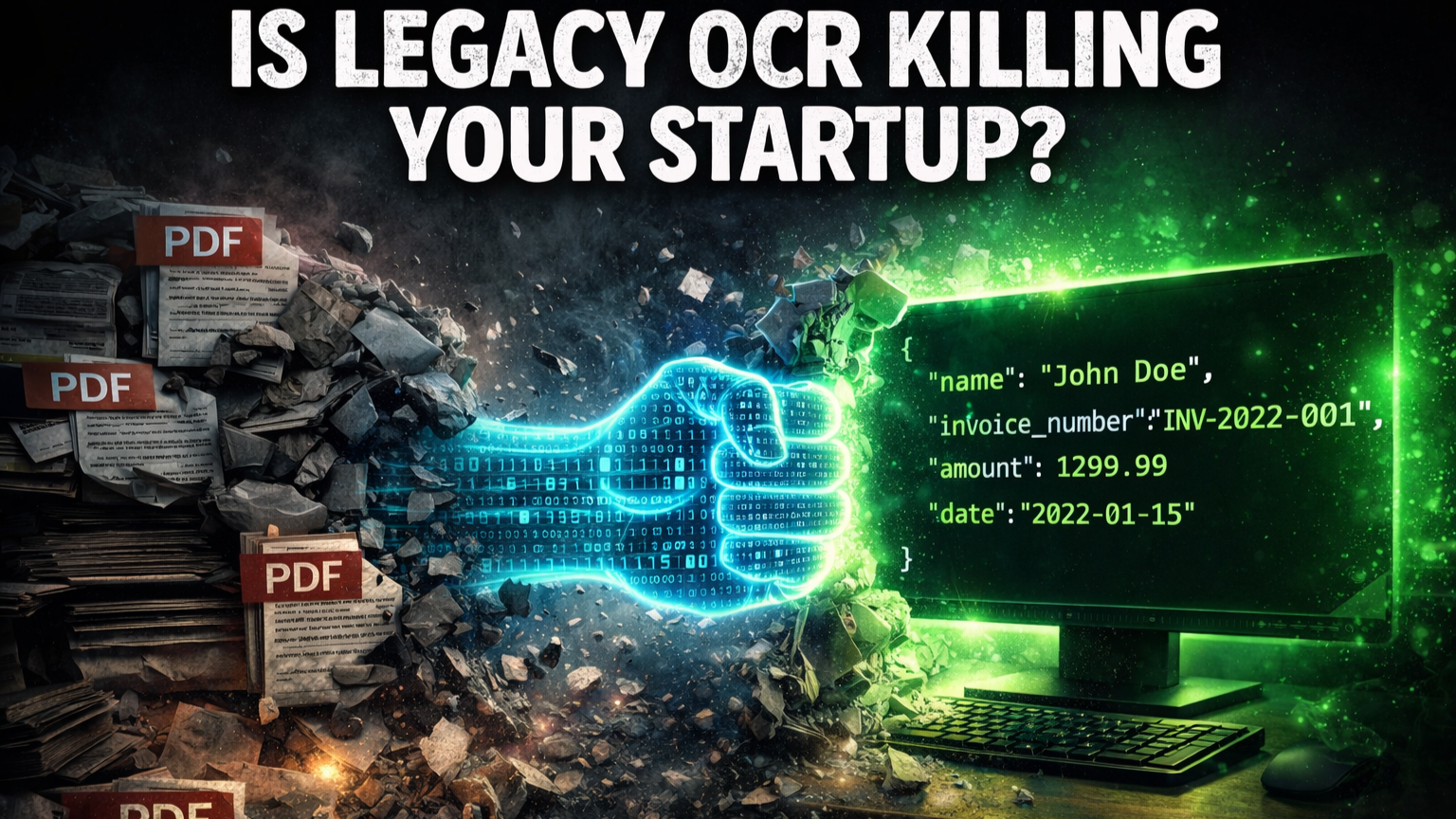
Table of Contents
- 1. Real-Time Data Synchronization
- 2. Eliminating Manual Errors & Bottlenecks
- 3. Seamless Custom Workflows (n8n Example)
- 4. Scalability Without Complexity
- 5. Enhanced Security & Compliance
Quick Summary: Top Benefits of API Integration
| Benefit | Business Impact |
|---|---|
| Real-Time Sync | Data is available in your ERP seconds after extraction. |
| Automation | Zero human touchpoints between document receipt and data entry. |
| Customizability | Build tailored workflows (e.g., n8n) specific to your business rules. |
| Security | Encrypted data pipelines replace insecure email attachments. |
1. Real-Time Data Synchronization
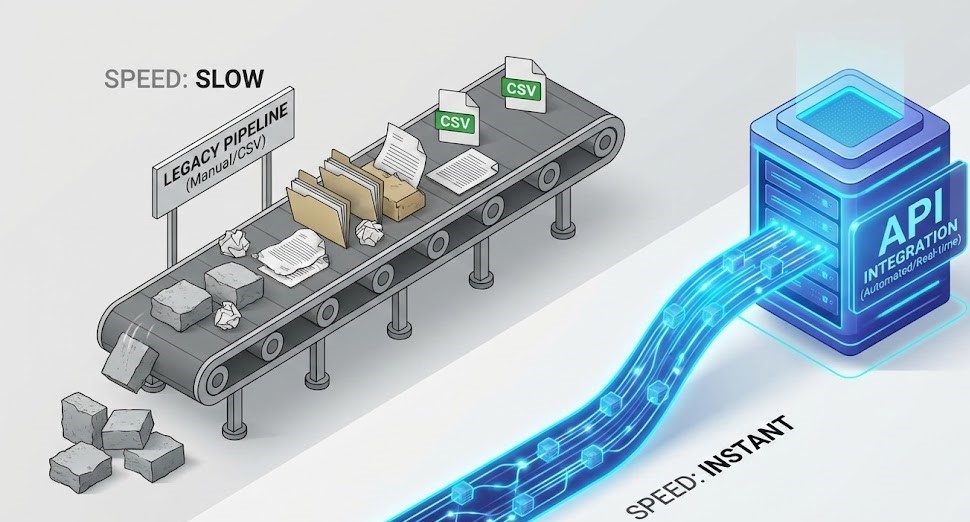
The primary answer to why use API for data integration is speed. Traditional methods rely on batch processing—waiting until the end of the day or week to move data. APIs allow systems to “talk” to each other instantly. When invoice data extraction is complete, the API pushes that data directly to your Google Sheets, Xero, or QuickBooks immediately.
Delays in financial reporting can cost millions in missed opportunities. This latency is the main reason why use API for data integration over legacy methods like SFTP or manual uploads. By creating a direct pipeline, you eliminate the “data lag” that plagues traditional finance teams.
This means your cash flow dashboards always reflect the reality of now, not last week. According to IBM, real-time connectivity is the backbone of agile business operations, allowing teams to pivot instantly based on live insights.
2. Eliminating Manual Errors & Bottlenecks
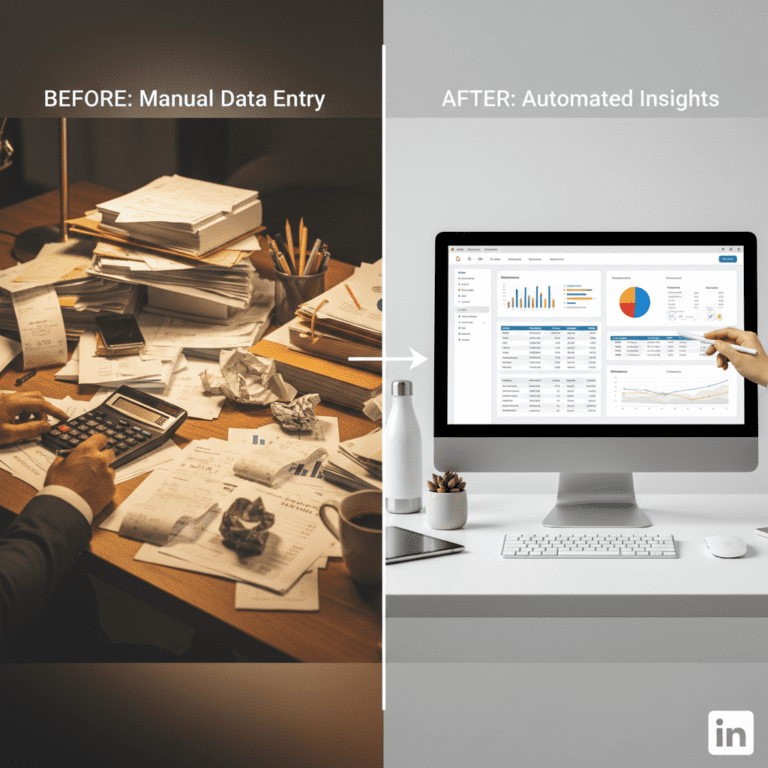
Manual data entry is not only slow; it is error-prone. Copy-pasting data from a parsed PDF into a spreadsheet introduces typos that can ruin financial models. APIs eliminate the “human middleware.” By connecting your data automation platform directly to your database, you ensure 100% data fidelity.
Pro Tip: Use API webhooks to trigger alerts only when data is missing or low-confidence, allowing your team to manage by exception rather than reviewing every document.
Traditional Methods vs. API Integration
| Feature | Traditional (CSV/SFTP) | API Integration |
|---|---|---|
| Speed | Scheduled / Delayed | Instant / Real-Time |
| Accuracy | Risk of file corruption/errors | Programmatic precision |
| Security | Files stored in emails/folders | Encrypted direct transmission |
| Maintenance | High (Manual uploads) | Low (Set and forget) |
3. Seamless Custom Workflows (n8n Example)
APIs allow you to build workflows that match your exact business logic. You are not limited to the native integrations a software provider offers. By using tools like n8n, Make, or Zapier, you can orchestrate complex sequences.
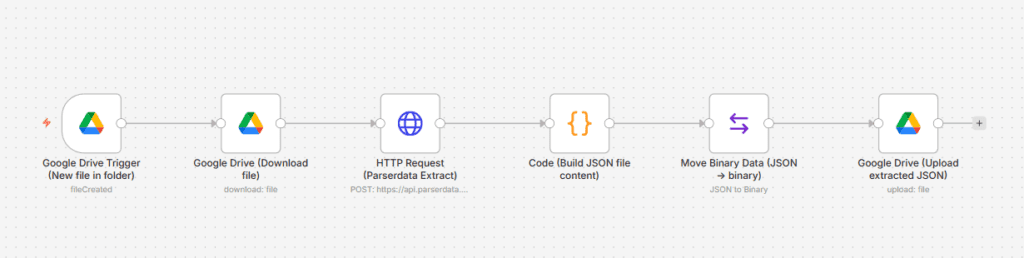
For example, at ParserData, we developed a specific Enterprise Automation Workflow for n8n. This template allows you to automatically extract data from invoices and send it directly to Google Sheets and Google Drive without writing a single line of code. It demonstrates the flexibility of APIs to solve specific business problems.
Unlike rigid native integrations, our API allows you to create flexible logic. That is exactly why use API for data integration: to build workflows that fit your business, not the other way around.
🚀 Download Free n8n Workflow Template
Pro Tip: Start with a low-code tool like n8n to prototype your API integration before committing developer resources to a hard-coded solution.
4. Scalability Without Complexity
Growing businesses face a massive increase in document volume. Handling 50 invoices a week manually is possible; handling 5,000 is impossible without scalable API integration. APIs are built to handle load.
Whether you process one document or one million, the API pipeline remains the same. This scalability is essential for companies looking to expand without linear growth in back-office headcount.
Manual teams hit a “ceiling” where hiring more people yields diminishing returns due to training and management overhead. APIs have no such ceiling. This infinite scalability without operational complexity is a core argument for why use API for data integration in high-growth fintech companies.
Pro Tip: Monitor your API usage metrics (requests per second) to predict when you need to upgrade your plan, ensuring zero downtime during peak seasons like Black Friday or Tax Season.
5. Enhanced Security & Compliance
Sharing financial data via email attachments is a significant security risk. APIs use secure, encrypted channels (HTTPS/TLS) and token-based authentication (OAuth) to transmit data. This ensures that sensitive financial information never sits unprotected in a download folder.
For organizations prioritizing improved risk management, APIs provide a clear audit trail of exactly when data was sent, received, and processed.
Pro Tip: Always rotate your API keys regularly and use “read-only” scopes where possible to minimize security risks.
Conclusion: The Future is API-First
Asking why use API for data integration is the first step toward a fully automated, efficient finance operation. From real-time data sync to bank-grade security, APIs offer advantages that manual methods simply cannot match. Tools like ParserData are built with an “API-First” mindset, ensuring that your document extraction process is not an isolated task, but an integrated part of your business engine.
Ready to connect your systems? Explore the ParserData API today and try our ready-made n8n workflow to see the magic in action.
Frequently Asked Questions
Why is API better than CSV upload for data integration?
API offers real-time synchronization, eliminating the “human middleware.” Unlike CSV uploads, which are prone to version control errors and manual delays, APIs allow your ERP and extraction software to communicate instantly, ensuring your financial data is always current.
Can I use ParserData API with no-code tools?
Yes, absolutely. ParserData integrates seamlessly with popular no-code platforms like n8n, Make (formerly Integromat), and Zapier. This allows you to build complex automated workflows—like saving invoices to Google Drive or updating rows in Excel—without writing a single line of custom code.
Is API integration secure for financial data?
It is significantly safer than email. APIs use bank-grade encryption (TLS 1.3) and secure authentication tokens (OAuth/API Keys) to transmit data. This ensures that sensitive financial information is never left sitting unprotected in a generic “Downloads” folder or email inbox.
Recommended
- Invoice Data Extraction API: 4 Powerful Steps to Master in 2026
- Data Automation Platforms Comparison: Top 4 Picks (2026)
- 7 Game-Changing Benefits of AI Analytics for Business (2026)
- Master Legal Document Automation Workflow for Compliance
Disclaimer: All comparisons in this article are based on publicly available information and our own product research as of the date of publication. Features, pricing, and capabilities may change over time.