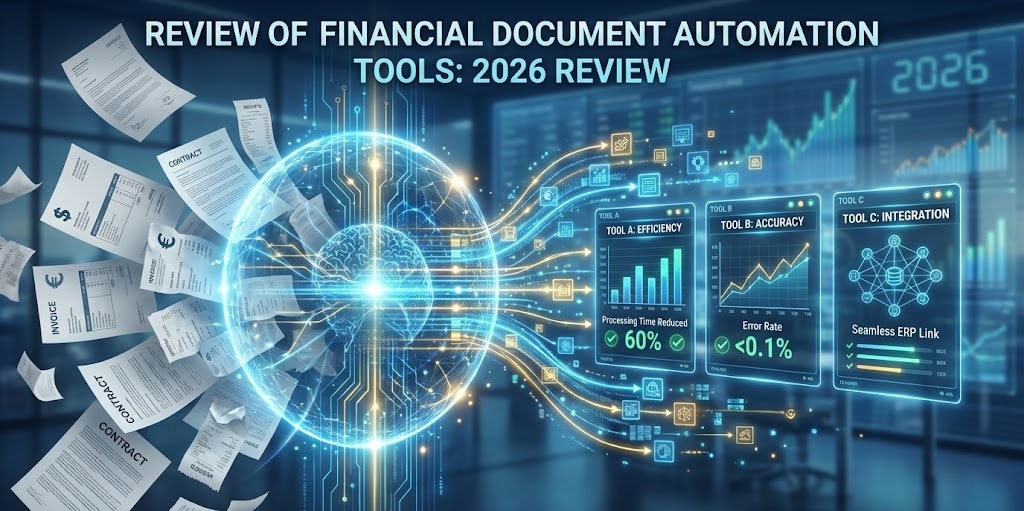
Top 12 Financial Document Automation Tools: The Best 2026 Review
In the high-stakes world of finance, data entry is the “silent killer” of productivity. It is estimated that finance teams spend up to 50% of their time manually transferring data from PDFs to spreadsheets. In 2026, this is no longer acceptable. The rise of financial document automation tools has revolutionized the back office, turning cost centers into strategic hubs.
But with hundreds of software options flooding the market, how do you choose? Do you need a full Accounts Payable (AP) suite or a flexible API-first extractor? This comprehensive guide reviews the top financial document automation tools available today, categorized by their specific strengths, to help you build the ultimate tech stack.
Table of Contents
- 1. Why Finance Leaders Are Automating Now
- 2. Selection Criteria: How to Judge a Tool
- 3. Category 1: Pure Data Extraction & Parsing (The Engine)
- 4. Category 2: End-to-End AP Automation
- 5. Category 3: Expense Management
- 6. Category 4: Legal & Contract Analysis
- 7. Technical Deep Dive: Inside the Engine
- 8. Implementation Roadmap for CFOs
Quick Comparison: Tool Categories
| Category | Best For… | Top Example |
| Data Extraction | Custom workflows, Developers, High volume PDF-to-Excel | ParserData |
| AP Automation | Enterprise invoice approval & payment | Stampli |
| Expense Mgmt | Employee receipts & travel | Expensify |
1. Why Finance Leaders Are Automating Now
The demand for financial document automation tools is driven by three factors: Speed, Accuracy, and Compliance. According to McKinsey, current technologies can automate 42% of finance activities.
Manual processing is expensive. Processing a single invoice manually costs between $12 and $15 when you factor in labor, storage, and error correction. Automation drops this cost to under $2. Furthermore, in an era of strict audits, having a digital, searchable trail of every document is a compliance necessity.
2. Selection Criteria: How to Judge a Tool
Not all financial document automation tools are created equal. Before you buy, evaluate them against these 5 metrics:
- Accuracy (Confidence Score): Does it require constant human correction? Look for tools claiming 98%+ accuracy.
- Flexibility: Can it handle structured (Excel), semi-structured (Invoices), and unstructured (Emails) data?
- Integration (API): Does it connect easily to your ERP (QuickBooks, SAP, Sage)? We discussed the role of API in automation extensively in a previous guide.
- Pricing Model: Is it per user (expensive for large teams) or per document (scalable)?
- Security: SOC-2 Type II and GDPR compliance are non-negotiable for finance.
See what top-tier automation looks like in practice. Watch this quick PDF to Excel visualization tutorial 👇

3. Category 1: Pure Data Extraction & Parsing (The Engine)
Unlike broader financial document automation tools, these specialized solutions focus on one thing: turning a PDF into a Database row. They are the “engine” that can power custom workflows. They are ideal for companies that want to build their own flexible systems using no-code platforms like n8n.
1. ParserData (Best for Flexibility & ROI)
ParserData stands out as a specialized engine for financial data extraction. Unlike rigid AP suites, it allows you to parse almost any type of business document invoices, bank statements, bills of lading and send the data anywhere via API.
- Key Feature: AI-powered parsing that adapts to layout changes without templates.
- Best For: SMBs and Developers who want to automate workflows without paying for enterprise bloatware.
- Integration: Seamless connection with Zapier, Make, and n8n.
2. Rossum
Rossum is a strong enterprise contender. It mimics the human mind to capture data. It is powerful but comes with a steeper price tag and implementation time.
- Pros: Excellent UI for manual validation.
- Cons: Can be overkill for simple needs.
3. Docparser
A veteran in the space. Docparser relies heavily on “zonal parsing” (drawing boxes around data). It is reliable for fixed forms but struggles with variable layouts compared to modern AI tools.
4. Category 2: End-to-End AP Automation
These financial document automation tools handle the entire Accounts Payable (AP) cycle: receiving the invoice, extracting data, obtaining approval, and executing the payment.
4. Tipalti
As one of the most comprehensive financial document automation tools for global payments, Tipalti automates the entire accounts payable workflow.
- Best For: High-growth companies processing mass payments to international suppliers.
5. Stampli
Stampli brings a unique collaboration layer to AP automation. Its AI, “Billy the Bot“, learns your accounting patterns to automate invoice coding and approval routing instantly.
Best For: Collaboration-heavy teams. It allows stakeholders to chat and ask questions directly on top of the digital invoice.
- Key Feature: Centralized communication that eliminates “Who approved this?” email threads.
- Integration: Deep integration with Oracle NetSuite, SAP, and Sage Intacct.
6. AvidXchange
Focused on the mid-market, AvidXchange is great for companies that have outgrown manual checks but aren’t yet enterprise giants. It offers a strong purchase-to-pay solution.
Pro Tip: Do not overpay for an AP suite if you only need data extraction. If your payment process is already handled by your bank, an extraction tool like ParserData connected to your ERP is often 80% cheaper.
5. Category 3: Expense Management
While many financial document automation tools focus strictly on vendor invoices, Expense Management platforms handle employee spending (receipts, travel, reimbursement). These financial document automation tools are vital for keeping employees happy and audits clean.
7. Expensify
Expensify makes receipt tracking easy for employees. Its “SmartScan” feature reads receipts via mobile app.
- Best For: Companies with frequent traveler employees.
- Key Feature: Automatic credit card reconciliation.
8. Ramp
Ramp is more than just software; it is a corporate card combined with automation software. It actively tries to reduce your spend by finding duplicate subscriptions.
- Integration: Syncs seamlessly with NetSuite and Xero.
- Automation: Automatically matches receipts to transactions via SMS/Email.
9. Brex
Similar to Ramp, Brex offers an all-in-one financial stack for startups. Its AI expense features are top-tier, allowing finance teams to set strict policy rules (e.g., “Flag any Uber ride over $50“).
6. Category 4: Legal & Contract Analysis
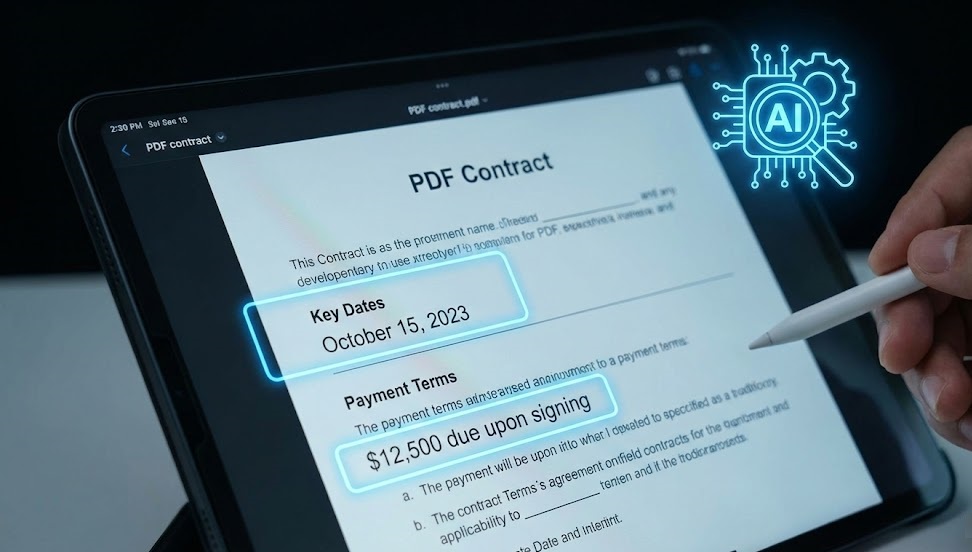
Most financial document automation tools process numbers, but contract analysis software focuses on obligations. These tools scan contracts to extract payment terms, renewal dates, and liability clauses.
10. Icertis
An enterprise-grade Contract Lifecycle Management (CLM) tool. It uses AI to ensure that the payment terms in your invoices match the terms agreed upon in the contract.
11. DocuSign CLM
Known for e-signatures, DocuSign’s CLM uses AI to extract metadata from contracts. It is excellent for finding “hidden” financial risks in legacy PDF contracts.
12. Ironclad
Ironclad connects legal teams with finance. It automates the generation of contracts and extracts key data points (like “Net 30” vs “Net 60“) to update financial forecasts automatically.
7. Technical Deep Dive: Inside the Engine
How do modern financial document automation tools actually work? It is not magic; it is a pipeline of three technologies. Understanding this helps you debug issues when they arise.
Step 1: OCR (Optical Character Recognition)
The software converts an image (pixels) into text (characters). To dive deeper into this technology, read our guide on AI invoice scanning software.
- Old Way: Tesseract (Open source, struggles with handwriting).
- New Way: Google Vision API / AWS Textract (Cloud-based, highly accurate).
Step 2: NLP (Natural Language Processing)
The software reads the text to understand meaning.
- It sees “Total Due“, “Balance“, and “Amount to Pay“.
- NLP determines which of these is the actual invoice total based on context and position.
Step 3: Validation Logic
This is the safety net. Good automation tools run math checks:
Does
(Subtotal + Tax) - Discount = Total? If the math doesn’t add up, the system flags the document for human review, a process known as Human-in-the-Loop (HITL) validation.
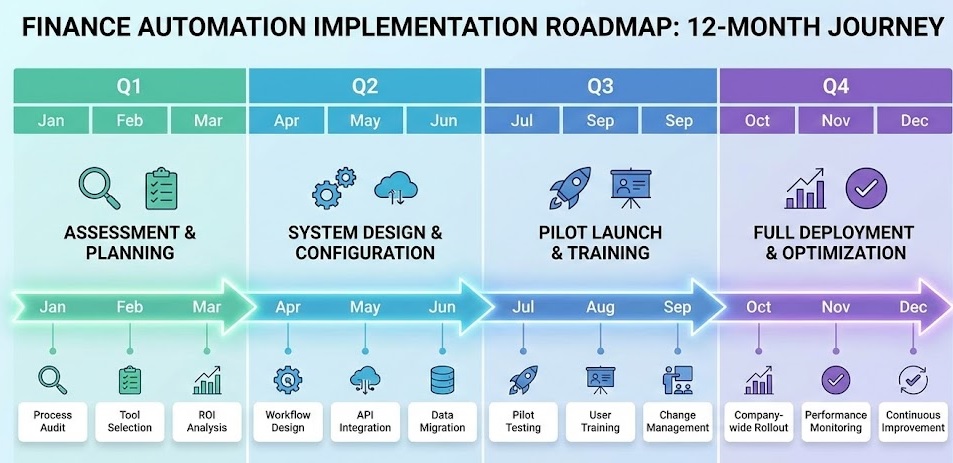
8. Implementation Roadmap for CFOs
Buying financial document automation tools is the easy part. Implementation is where ROI is won or lost.
Phase 1: The Audit (Week 1-2)
Don’t automate everything. Map your document volume.
- Which documents consume the most time? (Usually Invoices).
- Which are the most complex? (Usually Bills of Lading).
- Action: Select the top 20% of document types that cause 80% of the work.
Phase 2: The Pilot (Week 3-4)
Start with a single vendor or department.
- Set up ParserData or your chosen tool.
- Process 100 historical documents to test accuracy.
- Refine the extraction rules.
Phase 3: Integration (Month 2)
Connect the data pipe to your ERP.
- Use a sandbox environment first.
- Ensure that “Vendor Name” mapping is 100% accurate to avoid creating duplicate vendors in your ledger.
Phase 4: Full Rollout (Month 3+)
- Train your staff. Their role shifts from “Data Entry” to “Data Validation“.
- Monitor key metrics: Straight-Through Processing (STP) Rate. If 80% of invoices go through without human touch, you have succeeded.
Conclusion
The market for financial document automation tools in 2026 is mature and diverse. Whether you need a simple extractor like ParserData to feed your custom scripts, or a heavyweight AP suite like Tipalti to manage global compliance, the technology exists to eliminate manual entry forever.
The risk of inaction is rising. Competitors using these tools are closing their books faster, paying vendors on time, and operating with a leaner headcount. It is time to turn your finance function into a digital powerhouse.
Frequently Asked Questions
What are financial document automation tools?
Financial document automation tools are software solutions that use AI and OCR to automatically capture, extract, and process data from documents like invoices, receipts, and bank statements without manual entry.
How much do these automation tools cost?
Pricing varies widely. Tools like ParserData offer usage-based pricing (per page), making them affordable for SMEs, while enterprise suites like Tipalti or Rossum may charge thousands of dollars monthly for comprehensive AP workflows.
Do these tools integrate with QuickBooks and Xero?
Yes, integration is a key feature. Most top-tier financial document automation tools offer native APIs or connectors for popular accounting software like QuickBooks, Xero, NetSuite, and SAP.
Is AI OCR better than traditional template-based OCR?
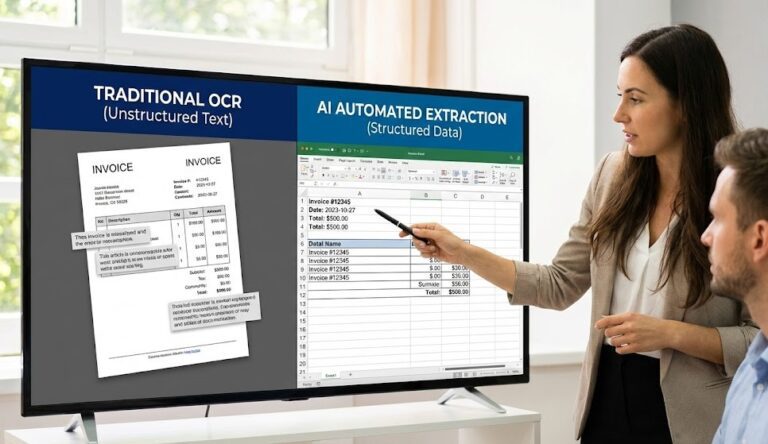
Absolutely. Traditional OCR breaks if a vendor changes their invoice layout. AI-powered OCR understands context (e.g., finding the “Total” regardless of position), making it much more resilient and requiring less maintenance.
Is financial data secure in automation tools?
Yes, reputable providers adhere to strict security standards like SOC-2 Type II, GDPR, and use TLS 1.3 encryption. Always check a vendor’s compliance page before uploading sensitive financial records.
Recommended
- The Role of API in Automation: The Nervous System of Finance
- Data Quality in Automation: The Hidden Key to ROI
- How to Automate Data Extraction: 5 Step Guide
- 35 Essential Types of Business Documents
Disclaimer: All comparisons in this article are based on publicly available information and our own product research as of the date of publication. Features, pricing, and capabilities may change over time.