25 Types of Business Documents to Automate in 2026: The Ultimate List
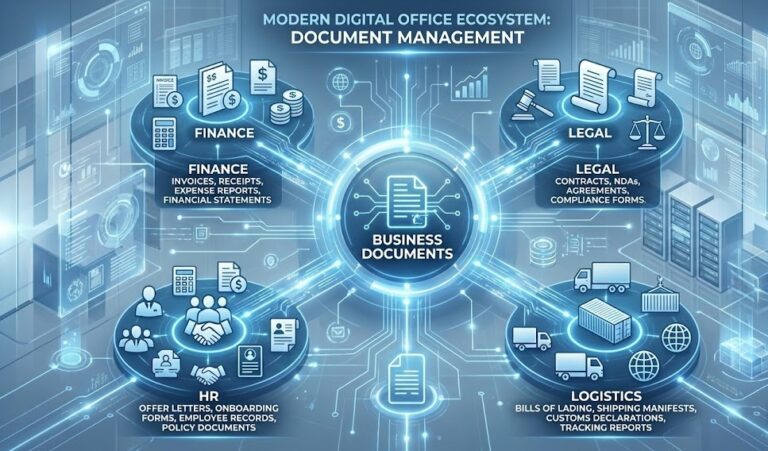
In 2026, the average office worker still spends 30% of their time searching for information and manually typing data from one system to another. This “data friction” kills productivity. The solution isn’t just “going digital” it’s going “automated.” But where do you start? Identifying the right types of business documents to automate is the critical first step in your digital transformation journey.
According to a report by McKinsey & Company, about 60% of all occupations have at least 30% of constituent activities that could be automated. The vast majority of these activities involve processing documents: reading, understanding, and extracting data from them.
Whether you are a CFO looking to streamline Accounts Payable or an Operations Manager trying to fix a broken supply chain, this guide breaks down the 25 essential types of business documents to automate, categorized by department and impact.
Table of Contents
- 1. Why Document Automation is Non-Negotiable
- 2. Category A: Financial & Accounting Documents (High ROI)
- 3. Category B: Human Resources (HR) & People Ops
- 4. Category C: Logistics & Supply Chain
- 5. Category D: Legal & Compliance
- 6. Category E: Sales & Marketing
- 7. How It Works: The Technology Stack
- 8. Case Studies: Success Stories
- 9. Implementation Roadmap
1. Why Document Automation is Non-Negotiable
Before we list the files, we must understand the “Why.” Why should a company invest budget into identifying types of business documents to automate?
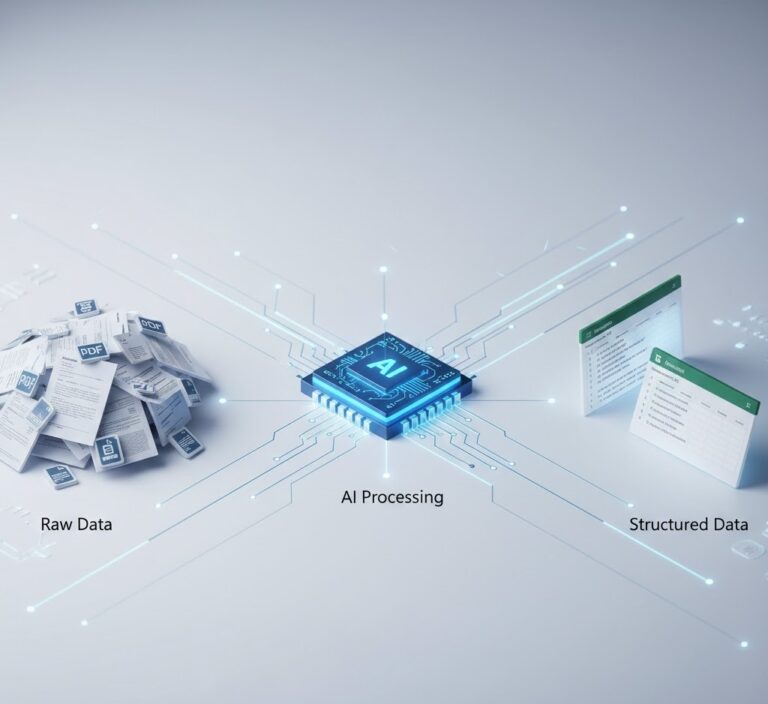
The answer lies in the “Dark Data” problem. Unstructured data (PDFs, images) cannot be queried. By automating the extraction process using tools like ParserData, you convert static files into active intelligence.
Key Benefits:
- Speed: Reduce processing time from days to seconds.
- Accuracy: Eliminate the “fat finger” human error (which averages 1-4% in manual entry).
- Cost: Cut operational costs by up to 80% (See our analysis on why use business data analytics for cost reduction details).
2. Category A: Financial & Accounting Documents (High ROI)
When prioritizing types of business documents to automate, Finance is the undisputed king. The data here is structured, high-volume, and time-sensitive.
1. Invoices (Accounts Payable)
This is the “Hello World” of automation. Processing invoices manually leads to late fees and lost early-payment discounts.
- Key Fields: Vendor Name, Invoice #, Date, Total, Tax, Line Items.
- Automation Value: Direct integration with ERPs for “3-Way Matching”. Read more in our guide on invoice extraction.
2. Receipts (Expense Management)
Receipts are messy. They are often crumpled, faded (thermal paper), or photographed in bad light. Automating receipt processing is crucial for employee satisfaction and fraud detection.
- Challenge: Variable layouts and coffee stains.
- Solution: AI-powered receipt scanning handles these imperfections better than traditional OCR.
3. Purchase Orders (POs)
POs represent the “Budget” side of the equation. Automating PO ingestion allows you to validate incoming invoices against what was actually ordered.
- ROI: Prevents “Maverick Spend” (unauthorized purchases).
4. Bank Statements
Reconciling the ledger against the bank is a monthly headache. Bank statements are digital but often locked PDFs.
- Automation: Converting statements to JSON/Excel allows for instant line-by-line reconciliation. (See: 5 Reasons Why Use API for Data Integration).
5. Tax Forms (W-2, 1099, VAT Returns)
Tax season requires absolute precision. Automated extraction ensures that the numbers reported to the government match the numbers in your payroll system exactly.
6. Credit Memos
Often overlooked among the types of business documents to automate, credit memos represent money owed back to you. Automating them ensures they aren’t lost in an email inbox.

3. Category B: Human Resources (HR) & People Ops
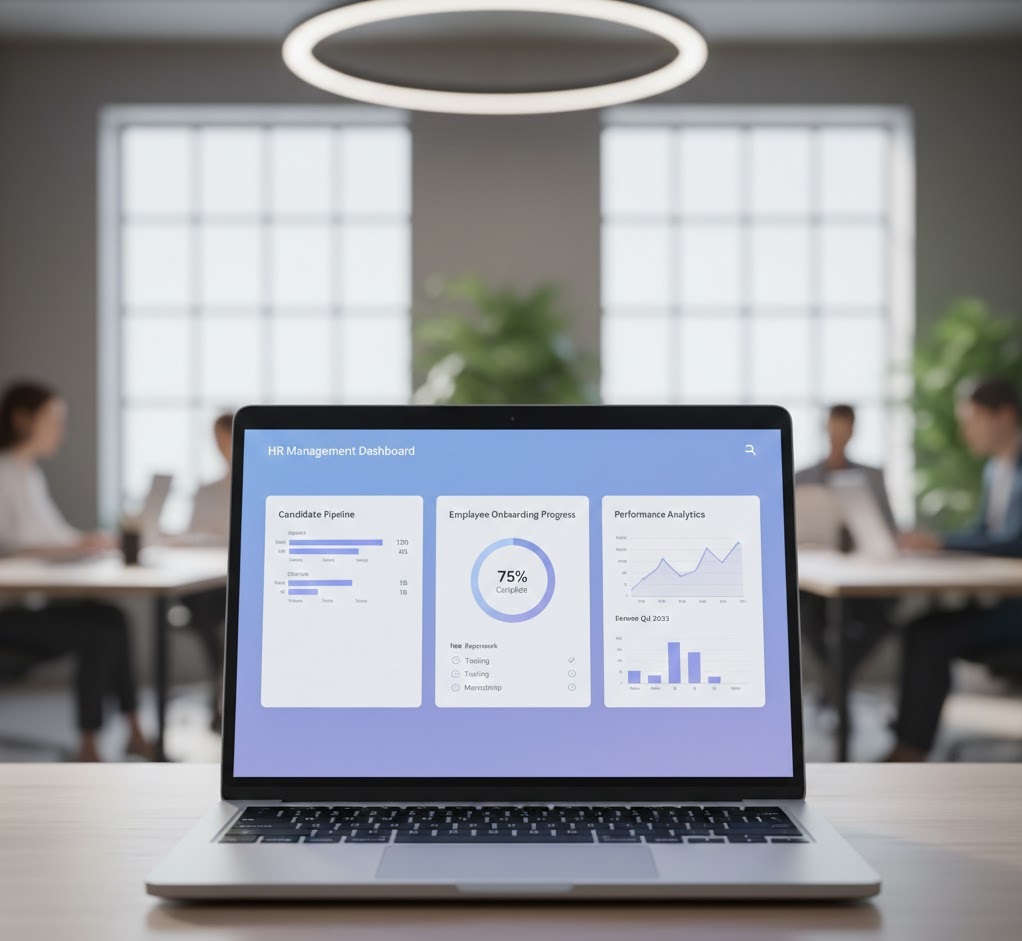
HR generates a massive paper trail. In 2026, the best talent expects a digital, fast onboarding experience. Identifying HR-related types of business documents to automate can transform your employer brand.
7. Resumes & CVs (Resume Parsing)
Recruiters spend 6 seconds scanning a resume. AI can parse thousands in seconds, extracting skills, experience, and education into a searchable candidate database.
- Benefit: Removes bias and speeds up time-to-hire.
8. Employee Onboarding Forms
I-9s, Direct Deposit forms, and emergency contact sheets. Instead of manual data entry, new hires scan these documents, and the data populates the HRIS automatically.
9. Payroll Records & Time Sheets
For hourly employees, paper timesheets are a liability. Automating the ingestion of scanned timesheets prevents payroll errors and wage theft.
10. Performance Reviews
Digitizing historical performance reviews allows HR to analyze trends in employee growth or dissatisfaction over time, moving from “paper files” to “people analytics.”
11. Benefits Enrollment Forms
Health insurance and 401(k) selections are complex. Automation ensures that the elections made on paper forms are accurately reflected in carrier systems.
4. Category C: Logistics & Supply Chain
In the post-pandemic world, supply chain visibility is paramount. Logistics managers deal with international partners, varying formats, and urgent deadlines. This sector offers some of the most critical types of business documents to automate.
12. Bills of Lading (BoL)
The BoL is the legal contract of carriage. It contains crucial data: Consignee, Weight, Carrier, and Destination.
- Why Automate: To track shipment status in real-time. If you wait for a human to type the BoL data, the shipment might already be delayed.
13. Packing Lists
This document details exactly what is in the container. Automating this allows warehouses to plan for inventory receiving before the truck even arrives.
- Integration: Feed data directly into WMS (Warehouse Management Systems).
14. Customs Declarations
Customs forms are strict. A single typo can result in goods being held at the border for weeks. AI extraction ensures that HS Codes and declared values match the commercial invoice exactly.
- Reference: Learn more about logistics efficiency in our supply chain data automation guide.
15. Delivery Notes (Proof of Delivery)
Signed delivery notes trigger revenue recognition. Automating the extraction of the “Signed Date” speeds up the billing cycle, improving Cash Flow.
5. Category D: Legal & Compliance
Legal teams are often the most resistant to change, yet they manage some of the most critical types of business documents to automate. Missed dates in this category don’t just cost money; they cause lawsuits.
16. Non-Disclosure Agreements (NDAs)
NDAs are high-volume, low-complexity documents. Automating them involves checking if the signature exists and extracting the effective dates to ensure IP protection is active.
17. Vendor Contracts & Master Service Agreements (MSAs)
Contracts are unstructured data mines.
- Extraction Goal: Pulling out “Payment Terms” (Net 30/60), “Renewal Dates” (to prevent accidental auto-renewals), and “Liability Caps”.
- Technology: Requires NLP (Natural Language Processing) to interpret clauses, not just grid tables.
18. Lease Agreements (IFRS 16 / ASC 842)
New accounting standards require leases to be recognized on the balance sheet. Automating the extraction of lease terms (start date, end date, monthly cost) is essential for compliance audits.
19. Compliance Certifications (ISO, SOC-2)
Managing third-party risk involves tracking hundreds of vendor certificates. Automation can extract the “Expiration Date” from a SOC-2 PDF and alert the compliance officer 30 days before a vendor becomes non-compliant.
6. Category E: Sales & Marketing
Speed kills… the competition. In Sales, identifying types of business documents to automate is about reducing the “Time-to-Revenue.”
20. Customer Purchase Orders
When a customer sends a PO, it shouldn’t sit in an inbox. Automated extraction pulls the SKU and Quantity and pushes it to the Fulfillment system instantly.
21. Rebate Forms & Claims
Manufacturing and retail rely heavily on rebates. Processing these claims manually is slow. Automation validates the claim against sales data to approve or deny payouts faster.
22. RFPs (Requests for Proposal)
Incoming RFPs are massive documents. AI can parse an RFP to extract requirements and match them against your company’s capabilities, helping you decide quickly whether to bid (Go/No-Go decision).
23. Warranty Claims
For consumer goods, processing warranty cards or digital claims is a customer service bottleneck. Automation classifies the defect type and validates the purchase date.
24. Lead Lists (Event Scans)
After a trade show, you have piles of handwritten notes or business cards. Mobile capture automation turns these physical artifacts into CRM leads immediately.
25. Utility Bills (Energy Management)
For companies with physical locations, utility bills vary wildly. Automating energy data extraction allows for ESG reporting and carbon footprint tracking.
7. How It Works: The Technology Stack
To successfully manage these types of business documents to automate, you need the right engine. It’s not just about “OCR” anymore.
1. Optical Character Recognition (OCR)
The foundational layer. It turns pixels into text. It reads “A”, “B”, “C”.
2. Natural Language Processing (NLP)
The brain. It understands that “Total Due” and “Amount to Pay” mean the same thing. This is crucial for variable documents like contracts.
3. Validation Logic
The quality gate. Does Subtotal + Tax = Total? If not, flag for human review. This ensures data quality in automation.
4. API Integration
The bridge. Once data is extracted, it must go somewhere (SAP, Salesforce, Oracle). Using a robust API, like the one provided by ParserData, ensures data flows securely without manual CSV uploads.
8. Case Studies: Success Stories
Case Study 1: The Logistics Giant
A global freight forwarder automated their Bills of Lading (Type #12) and Customs Declarations (Type #14) using AI extraction.
- Result: They reduced customs clearance delays by 40% and saved over $2M annually in demurrage fees (fees for containers sitting too long at the port).
Case Study 2: The FinTech Lender
A digital lender automated Bank Statements (Type #4) and Tax Returns (Type #5) for loan applications.
- Result: Loan approval time dropped from 3 days to 15 minutes, doubling their conversion rate.
Quick Reference: Automation Priority Matrix
Not all types of business documents to automate yield the same return on investment immediately. Use this matrix to prioritize your rollout.
| Department | Document Type | Complexity | Business Impact (ROI) |
|---|---|---|---|
| Finance | Invoices & Receipts | Low (Standardized) | ⭐⭐⭐⭐⭐ (High) |
| Logistics | Bills of Lading | Medium | ⭐⭐⭐⭐ (High) |
| HR | Employee Onboarding | Low | ⭐⭐⭐ (Medium) |
| Legal | Contracts & MSAs | High (Unstructured) | ⭐⭐⭐⭐⭐ (Strategic) |
| Sales | RFPs & Claims | High | ⭐⭐⭐⭐ (Revenue) |
Table: Prioritizing types of business documents to automate based on complexity and impact.
Pro Tips for Successful Automation
Implementing automation is 20% technology and 80% strategy. Here are three expert tips to ensure success when handling various types of business documents to automate.
💡 Tip 1: Don’t Automate a Broken Process
Automation makes efficient processes faster, but it makes chaotic processes infinitely messier. Before applying AI, map out your current workflow. Eliminate unnecessary approval steps first, then automate the document ingestion.
💡 Tip 2: The “Human-in-the-Loop” Rule
Never aim for 100% straight-through processing immediately. Set a “Confidence Threshold” (e.g., 90%). If the AI is less than 90% sure about a specific field (like a blurry handwritten date), route that document to a human for review. This ensures data integrity while still saving time on the clear documents.
💡 Tip 3: Start with “Fixed” Layouts
When choosing types of business documents to automate, start with fixed forms (like Tax Forms or standardized Invoices) before moving to unstructured text (like Contracts). This allows your team to see quick wins and build confidence in the system.
9. Implementation Roadmap
You have the list of types of business documents to automate. Now, how do you execute?
- The Audit: Don’t guess. Look at your team’s timesheets. Where are they spending the most manual effort? Usually, it’s Accounts Payable.
- The Pilot: Pick ONE document type (e.g., Invoices). Do not try to automate everything at once.
- The Tool Selection: Choose an API-first platform that handles both “Native PDFs” and “Scanned Images“. Avoid rigid legacy tools.
- The Scale-Up: Once the pilot hits 90%+ accuracy, expand to adjacent documents (e.g., Purchase Orders).
Conclusion
The era of manual data entry is ending. In 2026, the question isn’t if you should automate, but which types of business documents to automate first to gain the biggest competitive advantage.
From the financial clarity of automated invoices to the risk mitigation of automated contracts, the technology is now accessible to businesses of all sizes. The cost of inaction slow operations, data errors, and employee burnout is far higher than the cost of implementation.
Stop typing. Start automating. Explore how ParserData can transform your document workflow today.
Frequently Asked Questions
What are the most common types of business documents to automate first?
The most common starting points are Accounts Payable documents like Invoices, Purchase Orders, and Receipts, as they offer the fastest ROI and substantial reduction in manual labor.
Can legal contracts be automated?
Yes, legal contracts are key types of business documents to automate using NLP (Natural Language Processing) to extract specific clauses, dates, and renewal terms from unstructured text.
How does automation improve data accuracy?
AI-powered automation eliminates human data entry errors (typos), ensuring that data pushed to ERP systems is 99% accurate and validated against mathematical logic rules.
Is it expensive to automate business documents?
The cost has dropped significantly. With API-based tools like ParserData, businesses pay per page, making automation accessible even for SMEs compared to expensive legacy enterprise software.
What technology is used for document automation?
Modern automation uses Intelligent Document Processing (IDP), which combines OCR (Optical Character Recognition) with AI/Machine Learning to understand context, layout, and handwriting.
Recommended
- 7 Types of Financial Data Extraction: The Complete Guide
- How to Extract Data from PDFs: 5 Efficient Ways
- How to Convert PDFs to Structured Data: The 2026 Master Guide
- Top 12 Financial Document Automation Tools
Disclaimer: All comparisons in this article are based on publicly available information and our own product research as of the date of publication. Features, pricing, and capabilities may change over time.